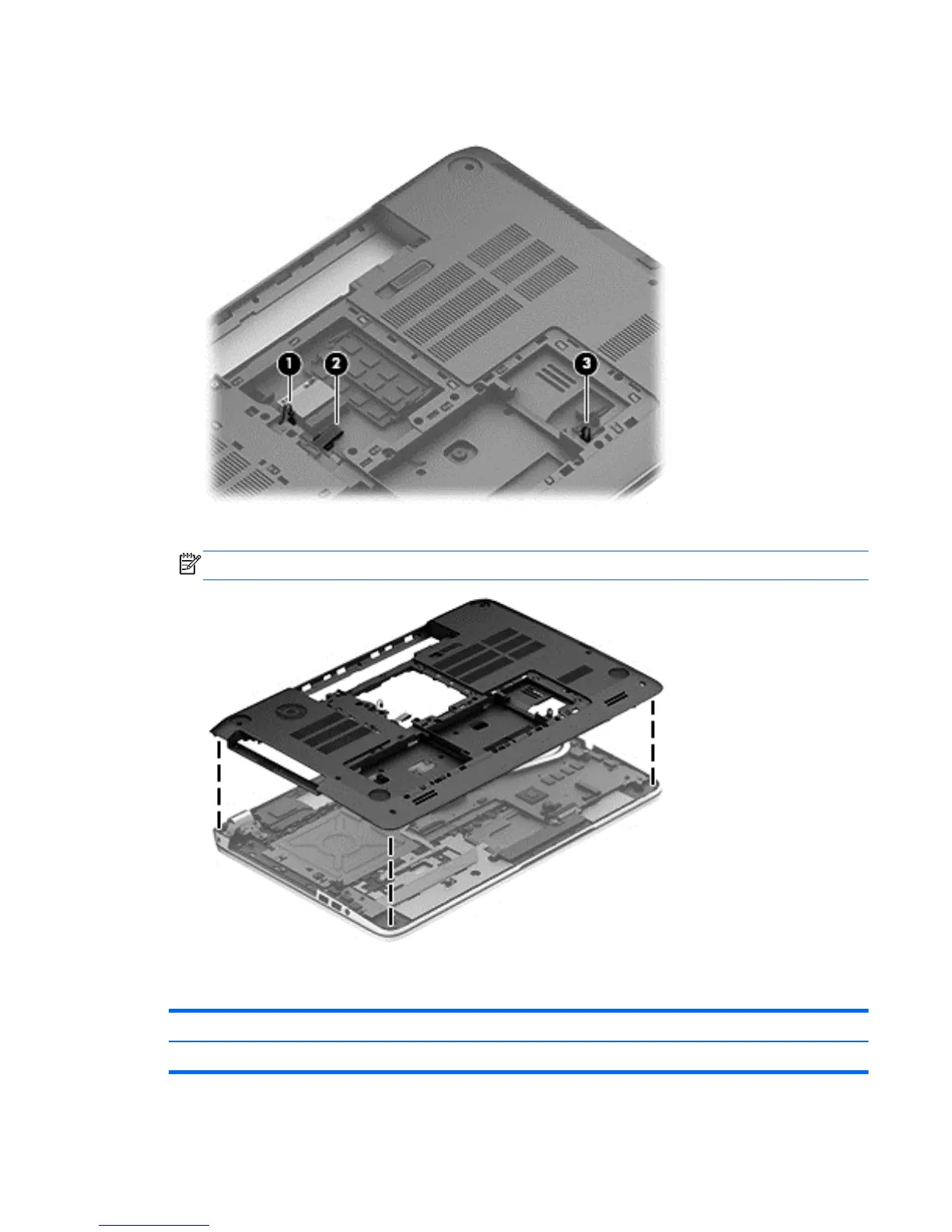
6. Disconnect the subwoofer cable (1), the optical drive cable (2), and the front speaker cable (3)
from the system board.
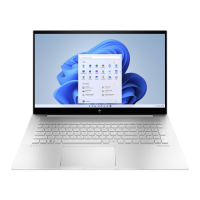
7. Remove the base enclosure.
NOTE: Use a thin, non-conductive tool to remove the base enclosure.
Front speakers
Description Spare part number
Front speaker Kit (includes left and right speakers and cable) 720262-001
Component replacement procedures 53


 To Next Page