Battery
Description Spare part number
6-cell, 62WHr 32.8AH Li-ion battery 710417-001
Before removing the battery, follow these steps:
1. Shut down the computer. If you are unsure whether the computer is off or in Hibernation, turn
the computer on, and then shut it down through the operating system.
2. Disconnect all external devices connected to the computer.
3. Disconnect the power from the computer by first unplugging the power cord from the AC outlet
and then unplugging the AC adapter from the computer.
Remove the battery:
1. Turn the computer upside down on a flat surface.
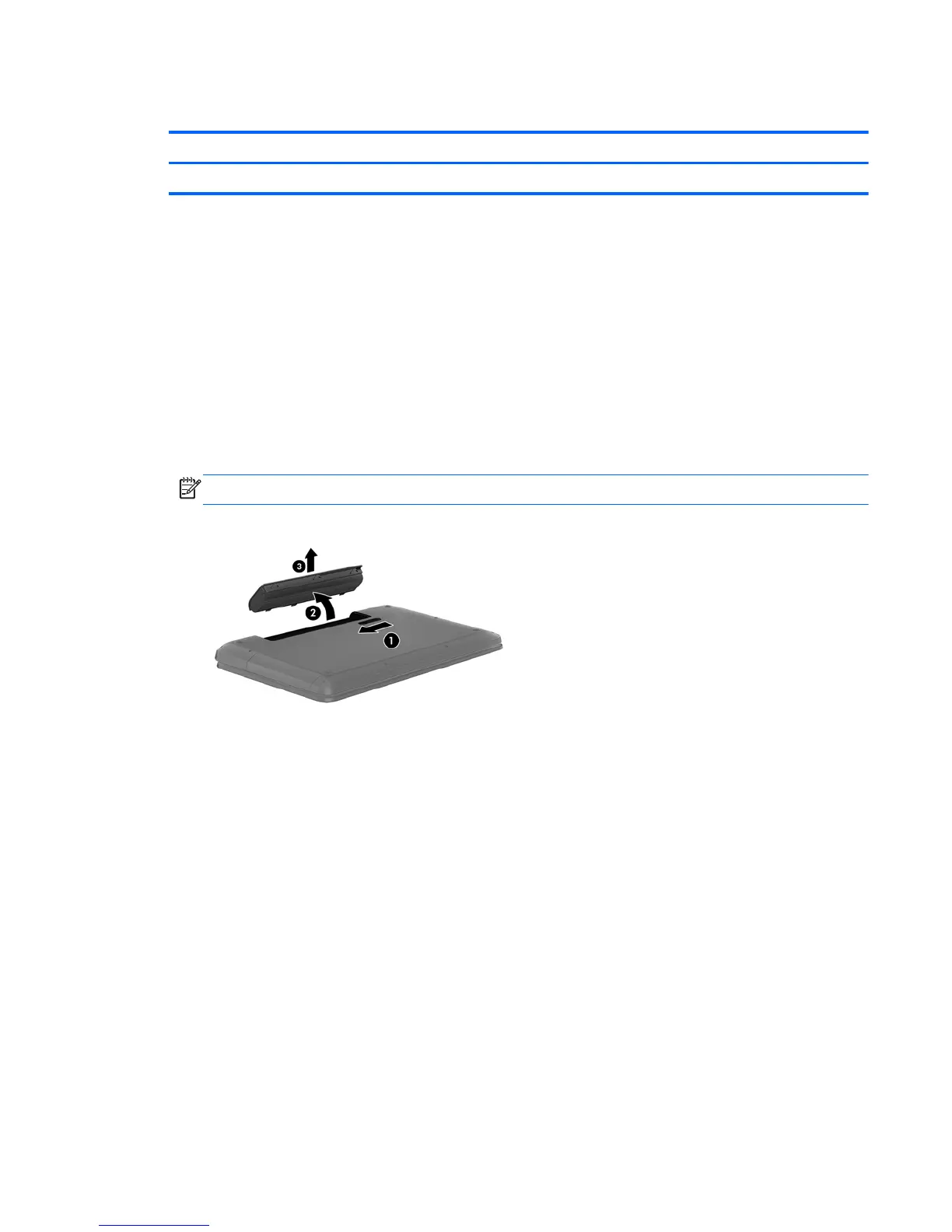
2. Slide the battery release latch (1) to release the battery.
NOTE: The battery release latch automatically returns to its original position.
3. Pivot the battery upward (2), and then remove the battery from the computer (3).
Reverse this procedure to install the battery.
Component replacement procedures 33


 To Next Page