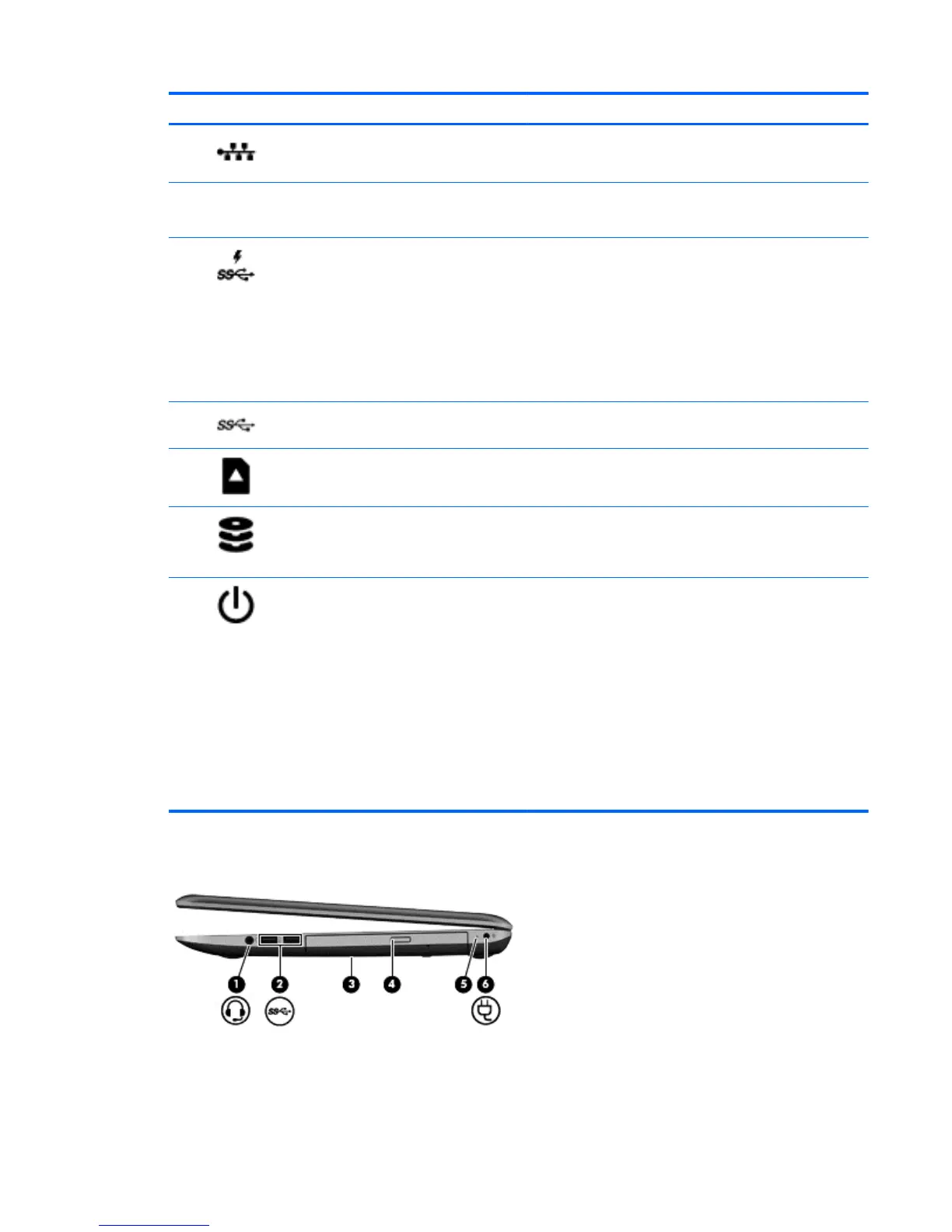
Component Description
(4)
RJ-45 (network) jack Connects a network cable.
RJ-45 (network) status light White: The network is connected.
Amber: Activity is occurring on the network.
(5)
USB 3.0 charging port Connects an optional USB device. The USB 3.0 charging
port can also charge select models of cell phones and MP3
players, even when the computer is off.
NOTE: A USB charging port (also referred to as a USB
powered port) allows you to charge connected USB
devices. Standard USB ports will not charge all USB
devices or will charge using a low current. Some USB
devices require power and require you to use a powered
port.
(5)
USB 3.0 port Connects optional USB 3.0 devices and provide enhanced
USB power performance.
(6)
Memory card reader Reads data from and writes data to memory cards such as
Secure Digital (SD).
(7)
Hard drive light
●
Blinking white: The hard drive is being accessed.
●
Amber: HP 3D DriveGuard has temporarily parked the
hard drive.
(8)
Power light ● White: The computer is on.
●
Blinking white: The computer is in the Sleep state,
which is an energy-saving mode. The computer shuts
off power to the display and other unneeded
components.
●
Off: The computer is off or in Hibernation. Hibernation
is an energy-saving mode that uses the least amount
of power.
NOTE: For select models, the Intel® Rapid Start
Technology feature is enabled at the factory. Rapid
Start Technology allows your computer to resume
quickly from inactivity..
Right side
Right side 11


 To Next Page