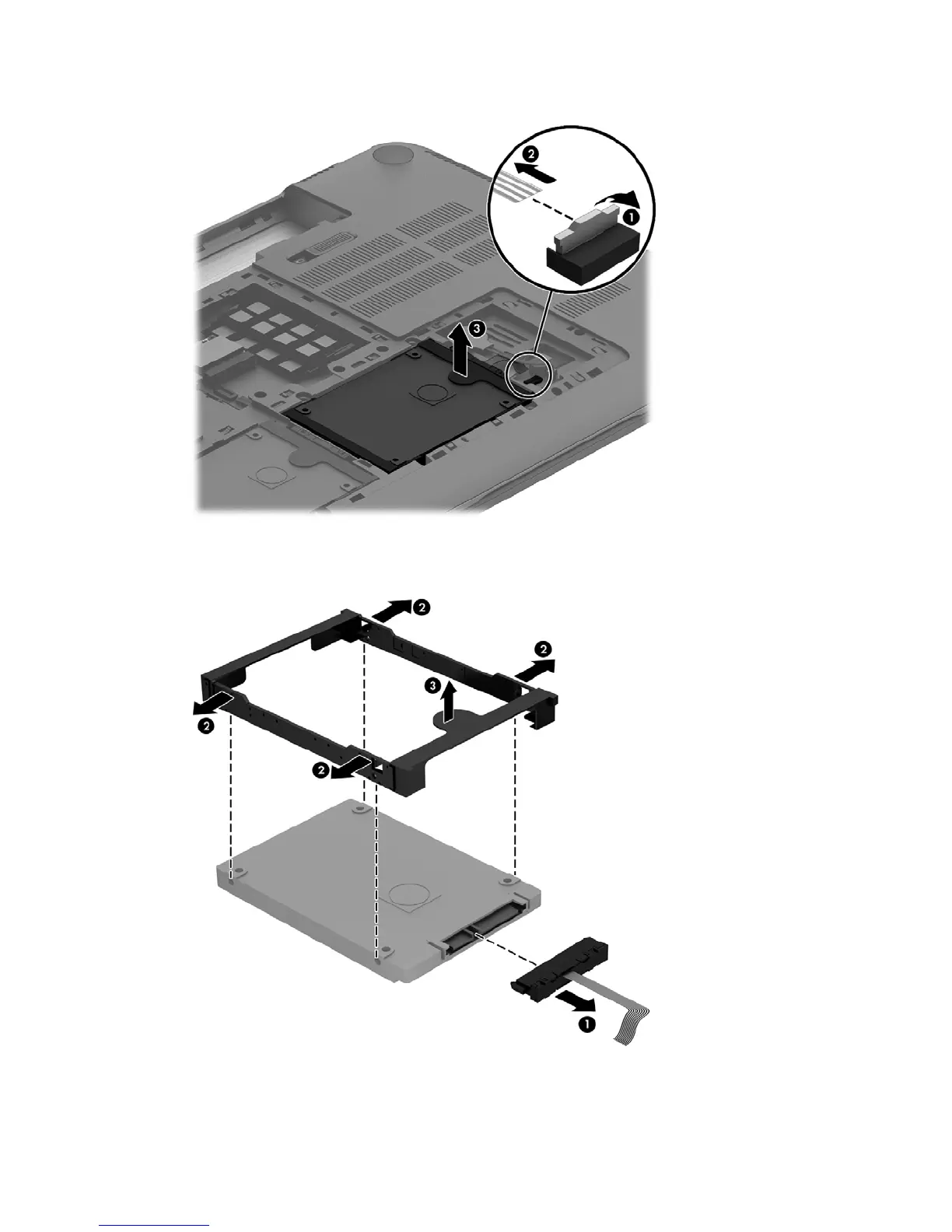
2. Use the tab to remove the hard drive from the hard drive bay (3).
If it is necessary to disassemble the primary or secondary hard drive:
▲
Remove the hard drive cable (1), and then remove the hard drive bracket (2).
Reverse these procedures to reassemble and install the hard drive.
36 Chapter 5 Removal and replacement procedures for Customer Self-Repair parts


 To Next Page