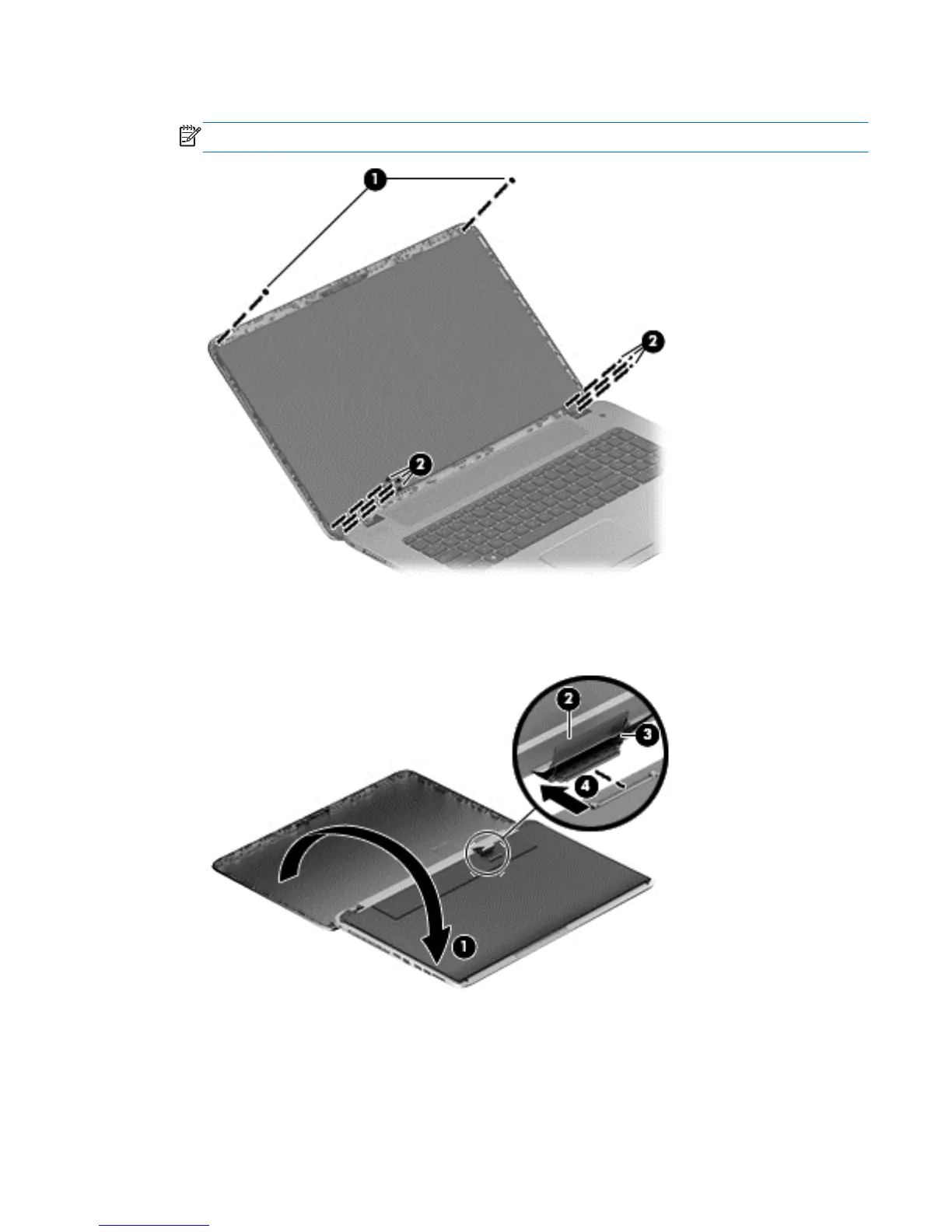
7. Remove the 6 display panel screws (2 on the top and 6 on the bottom).
NOTE: Remove any tabs or tape adhering to the display panel.
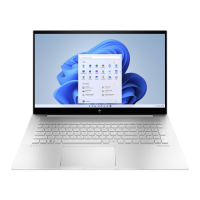
8. Support the display panel as you lean the panel forward (1), and then release the support strip
(2) that secures the display panel connector.
9. Disconnect the display panel cable from the display panel (3), and then remove the panel (4).
Component replacement procedures 47


 To Next Page