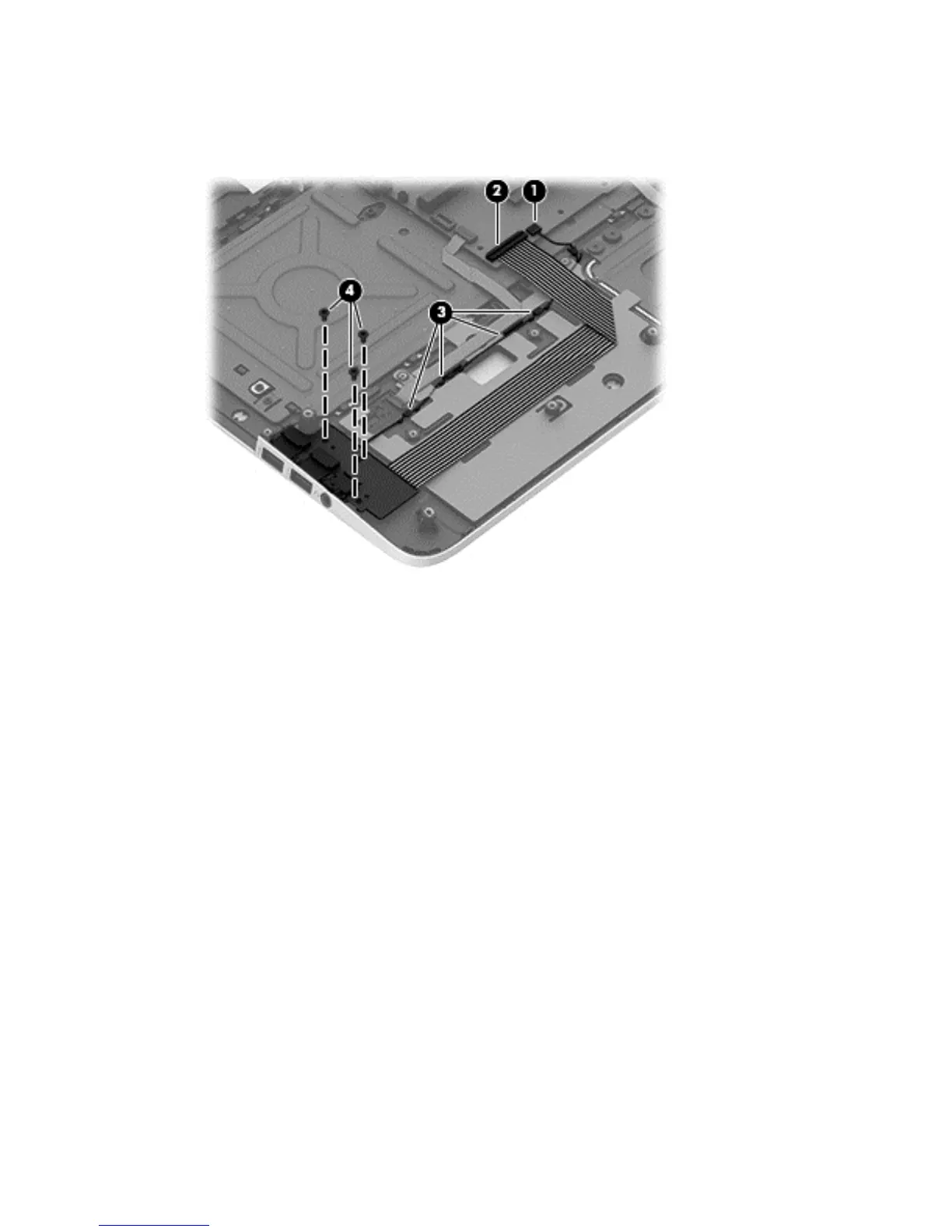
Remove the USB/Audio board and cables:
1. Disconnect the USB/Audio board cable (1) disconnect the ZIF connector for the ribbon cable (2)
from the top cover, and then disengage the cable (3) from the channels.
2. Remove the screws securing the USB/Audio board (4).
Component replacement procedures 65


 To Next Page