9. Remove the optical drive (see Optical drive on page 41).
10. Remove the base enclosure (see
Base enclosure on page 50).
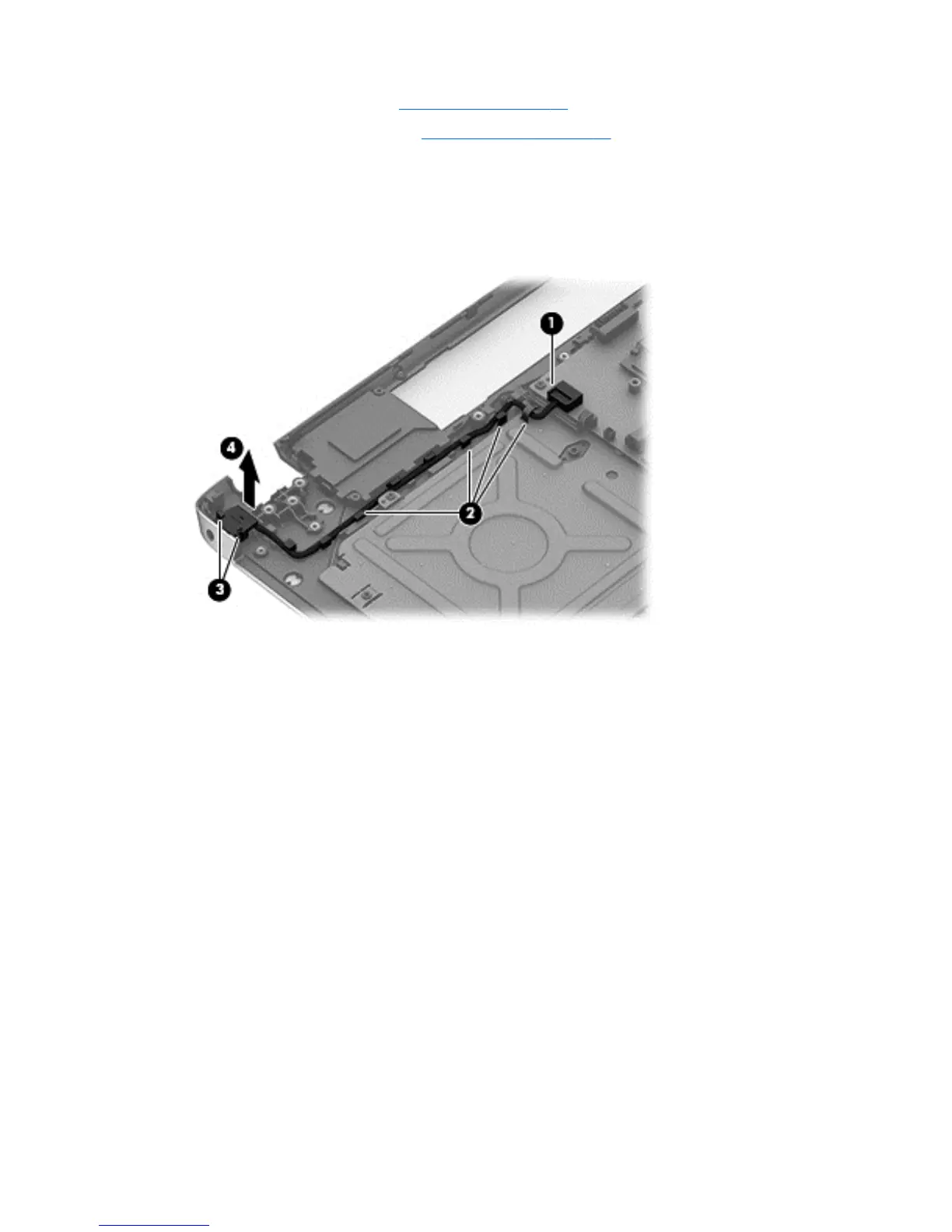
Remove the power connector cable:
1. Release the metal clip to disconnect the power connector cable (1) from the system board.
2. Disengage the cable from the clips (2).
3. Release the clips (3), and then remove the power connector cable (4).
Reverse this procedure to install the power connector cable and bracket.
68 Chapter 6 Removal and replacement procedures for Authorized Service Provider parts


 To Next Page