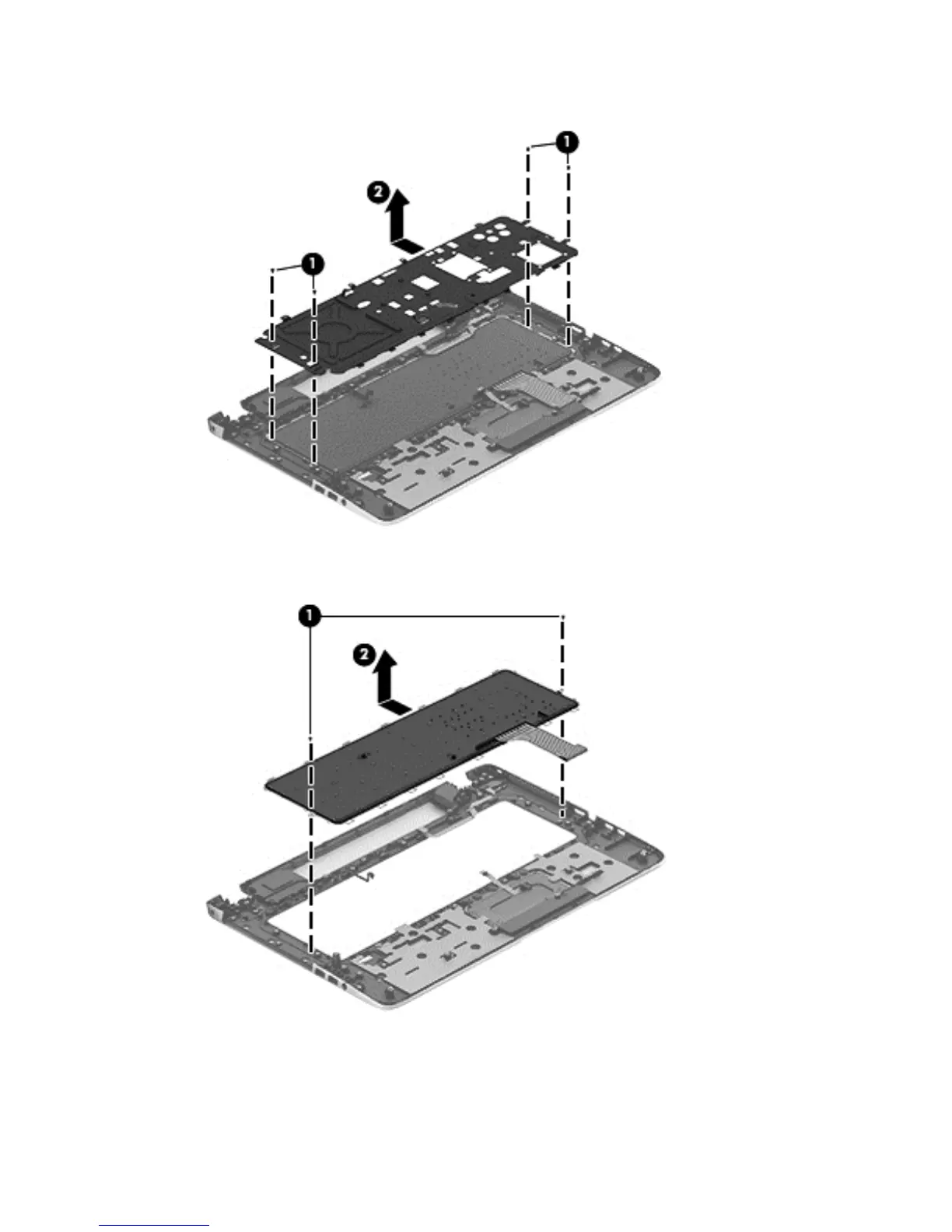
2. Remove the 6 Phillips PM 2x3 screws (1), and then release the shield from the keyboard (2).
3. Remove the 2 Phillips PM 2.5x3 screws securing the keyboard to the top cover (1), slide the
keyboard to release it from the tabs, and then remove the keyboard from the top cover (2).
Reverse this procedure to install the keyboard.
Component replacement procedures 77



 To Next Page