Removal and Replacement Procedures
HP ProLiant ML150 Generation 2 Server Maintenance and Service Guide 2-19
HP CONFIDENTIAL Codename: Stone Soup 2 Part Number: 368148-003 Last Saved On: 6/10/05 4:28 PM
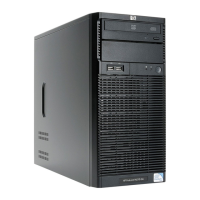
6. Remove the rails from the drive.
Remove the two screws securing each rail on the side of the drive.
Figure 2-16: Removing the rails from the flexible diskette drive
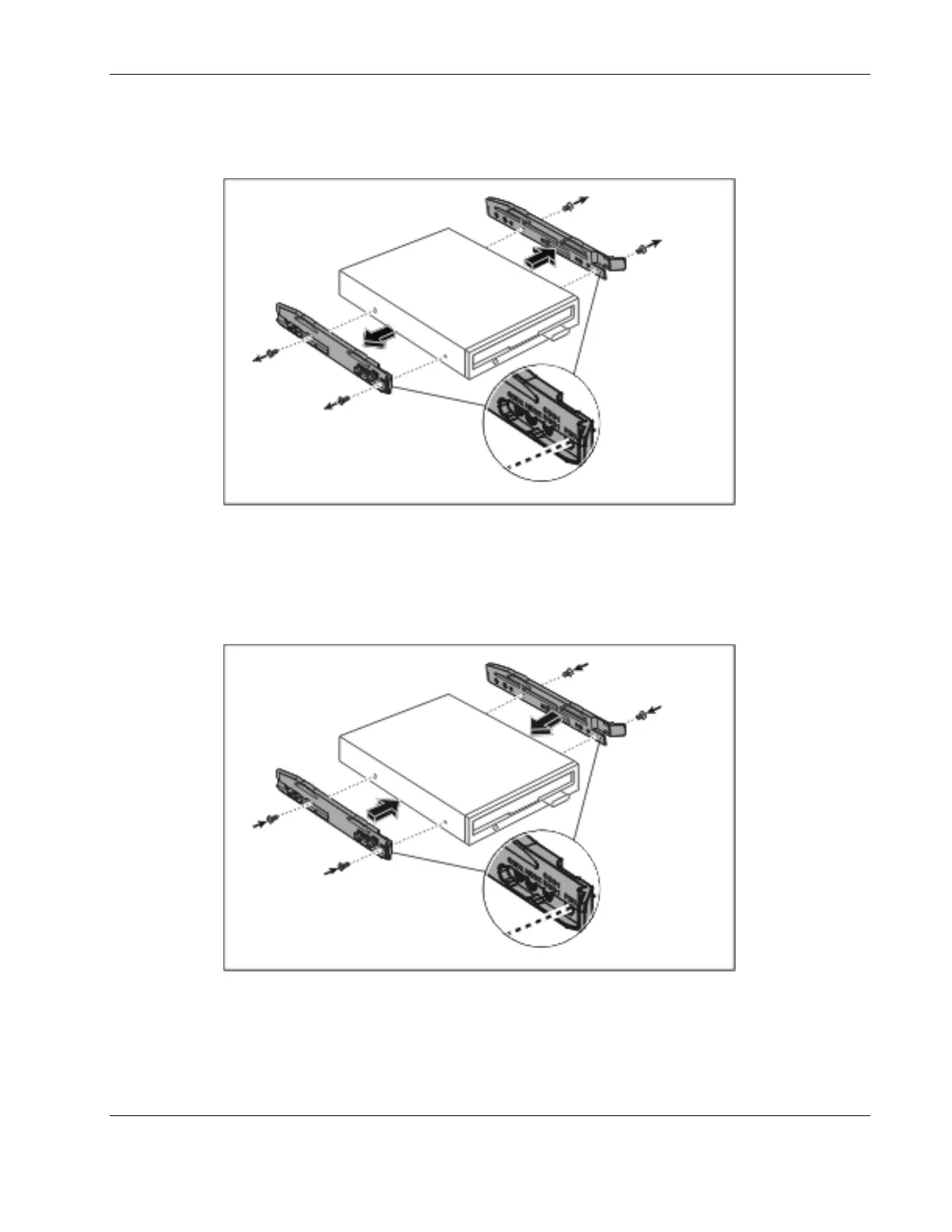
To replace the flexible diskette drive, reverse steps 2 through 6.
When attaching the rails to the sides of the flexible diskette drive, be sure that the screws are
secured in the correct holes on the rails.
Figure 2-17: Attaching the rails to the flexible diskette drive


 To Next Page
 Loading...