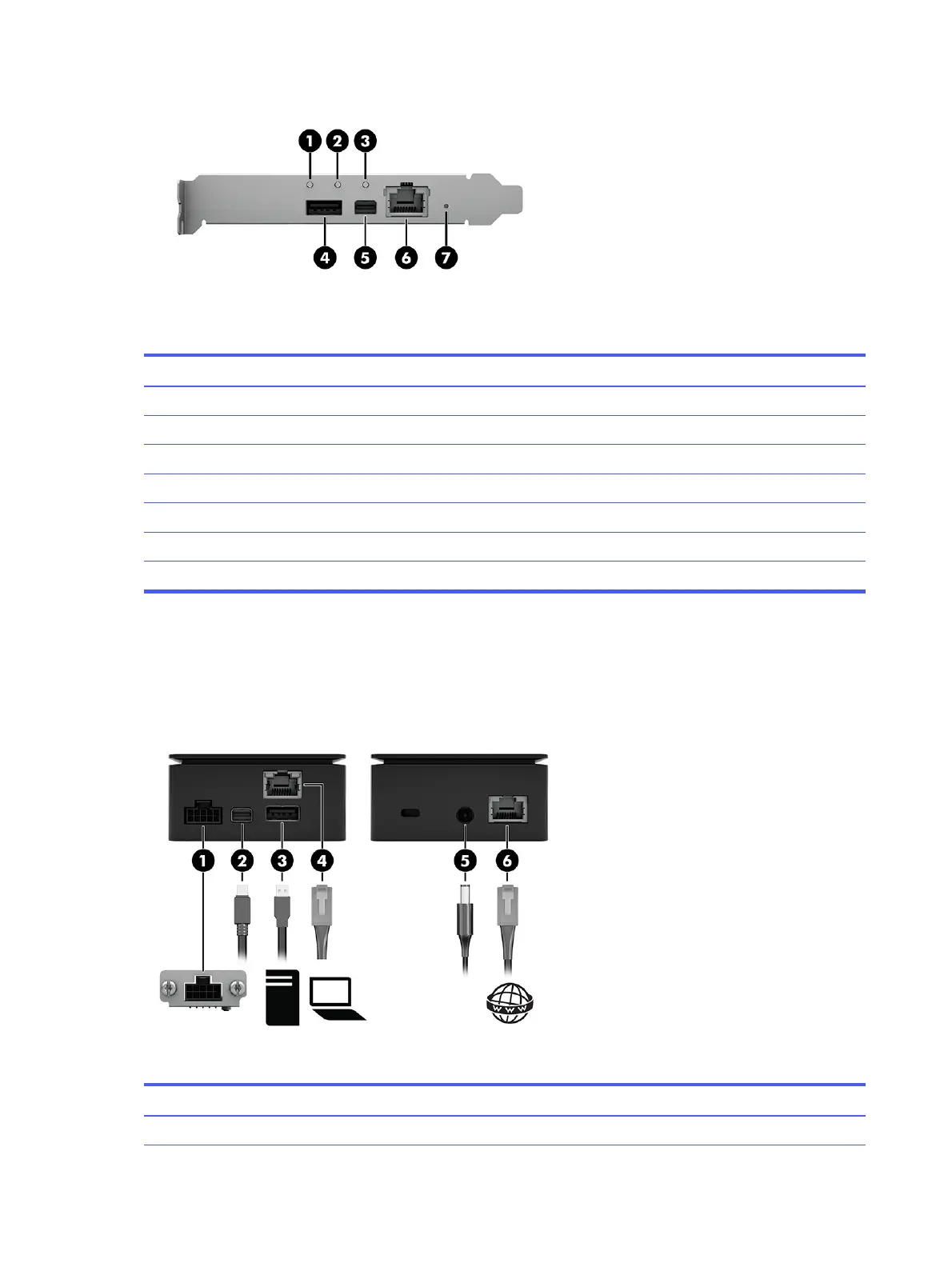
Table 1-4 Identifying the front components
Front components
(1) Host status LED
(2) Remote System Controller status LED
(3) Remote host status LED
(4)
USB for Mouse/Keyboard/Mass Storage Emulation
*
(5) Mini DisplayPort for graphics input
(6) RJ-45 network cable connector and jack
(7) Soft reset/factory reset button
*
The front USB port is not needed if the internal USB 3.0 connector is used.
Connecting the computer (external)
To connect the computer to the HP Remote System Controller, use this illustration and table.
Table 1-5
Connecting the computer
Cables
(1) 10-pin cable connector
4 Chapter 1 Getting started



 To Next Page