● Use Chrome™ or Edge® to view the Remote System Controller interface.
● Workstations shipped to certain regions have the Maximum Power Savings BIOS setting enabled,
which prevents the HP Remote System Controller from getting power from the host main board. HP
recommends that you disable this setting so that the Remote System Controller has power when
the host workstation is turned off.
Supported features
The features are supported by the following platforms.
NOTE: For Z4, Z6, Z8 G4 and ZCentral G4, the latest BIOS update is required to enable the host to
provide power to the HP Integrated Remote System Controller in all host power states.
Table 1-1
Supported features by platform
Feature Z4, Z6, Z8/Fury G5, and Z2
G9
Z4, Z6, Z8 G4, ZCentral 4R Non-Z computers
Power button control Yes Yes Not available
Direct BIOS
communication
Yes Not available Not available
Remote Virtual Storage Yes Yes Yes
IP KVM Yes Yes Yes
Hardware system
inventory
Yes Not available Not available
Hardware alerts Yes Partial Not available
Remote System Controller
firmware updates
Yes Yes Yes
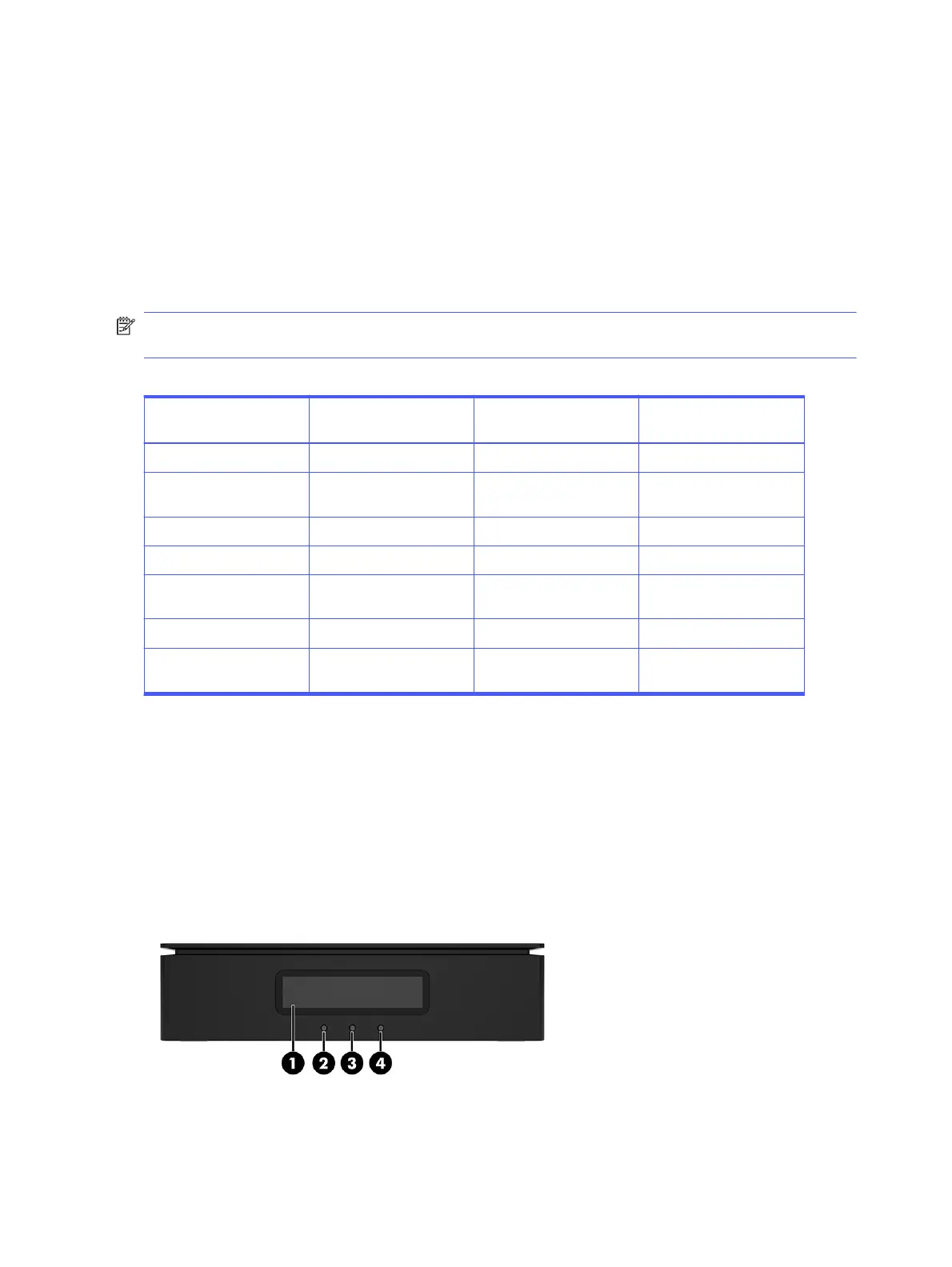
Front panel components (external)
To identify the front panel components for the HP Remote System Controller, use this illustration and
table.
2
Chapter 1 Getting started



 To Next Page