34
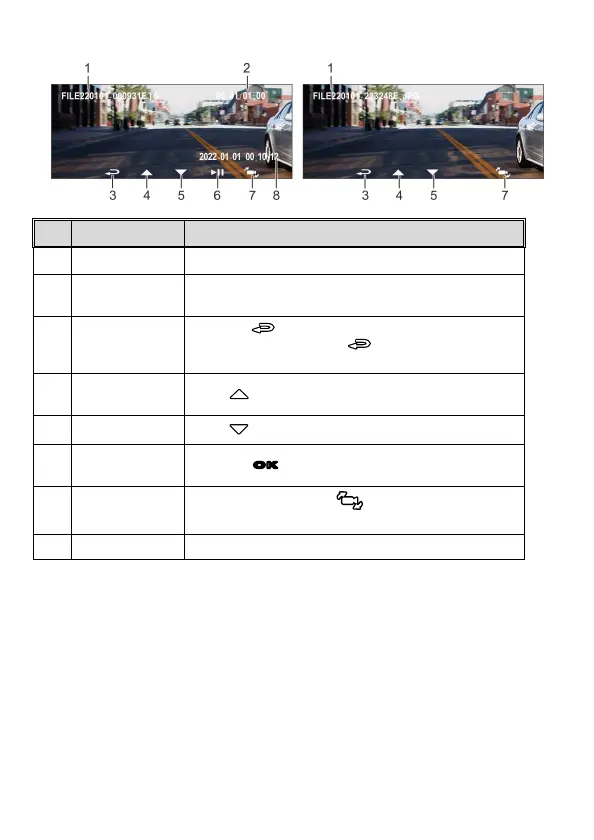
3.11 The Playback Screen
No.
Item Description
1 File name File name
2
Duration/ Total
recorded time
Indicates the video elapse time/ Indicates total recorded
time
3 Return
Press the button to return preview screen of
video or picture. Press the button repetitively to
return recording screen.
4
Previous File
Button
Press button to view previous file.
5 Next File Button
Press button to view next file.
6
Playback/ Pause
button
Press the
OK
button to play or pause the video.
7
Lens Switch
Button
In playback mode, press button to switch files
with dual lens recording file.
8 Stamp print Indicates date and time stamp



 To Next Page