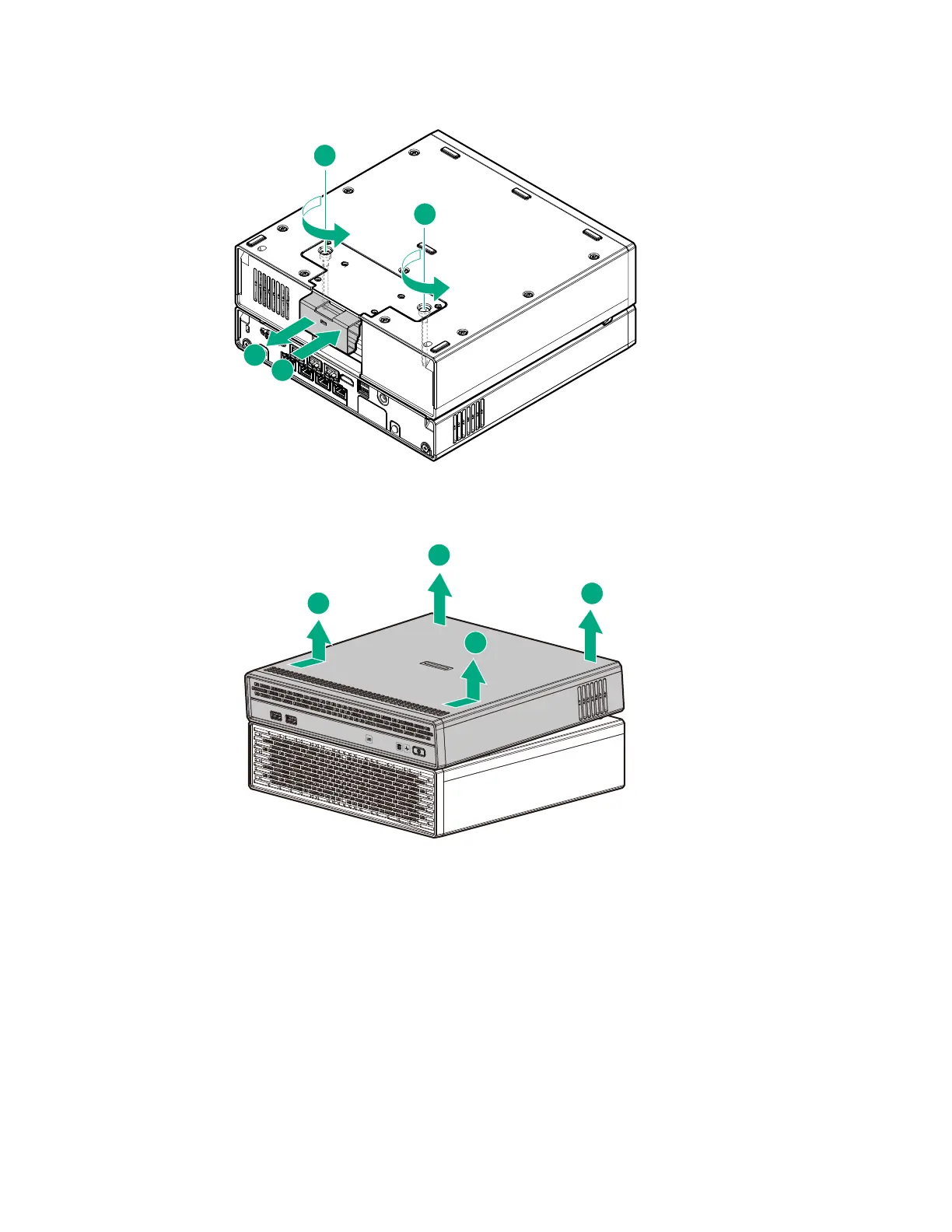
a. Pull the latch on the rear of the storage expansion unit.
b. Loosen the captive screws.
c. Push the latch back in place.
d. Return the assembly to an upright position.
e. Remove the server from the storage expansion unit.
Remove the access panel
Prerequisites
Before you perform this procedure, make sure that you have a No. 2 Phillips screwdriver available.
Procedure
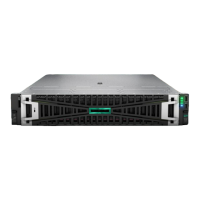
1. Loosen the captive screws.
2. Slide the access panel toward the front of the server, and then lift it from the server.
Remove the access panel 23










 To Next Page