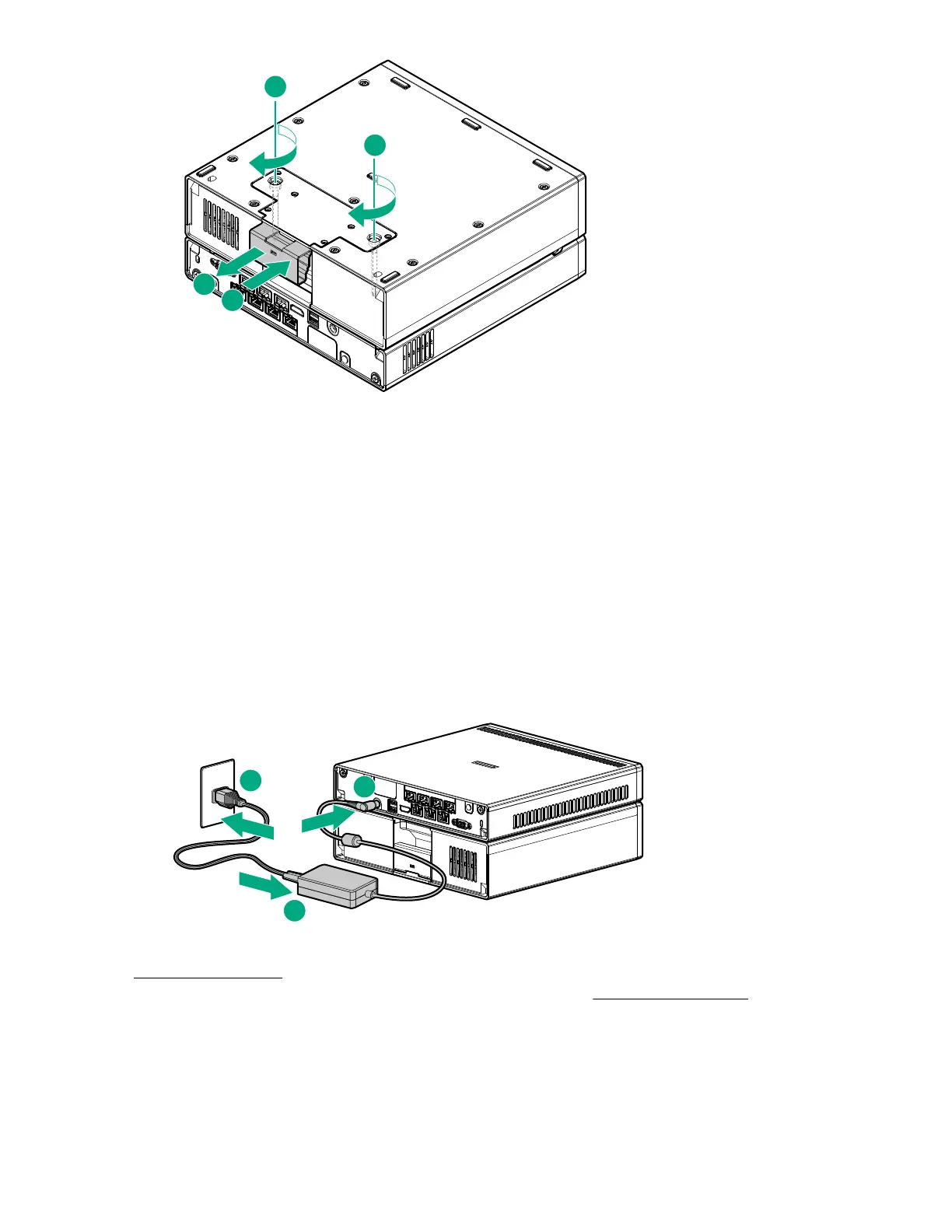
8. Return the assembly to an upright position.
Prepare the server for operation after storage expansion unit installation
Procedure
1. If removed, install the Kensington security lock.
For more information, see the Kensington security lock documentation.
2. Connect all peripheral cables to the server.
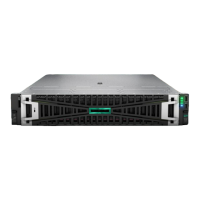
3. The server-storage expansion assembly requires a higher wattage rating than the 120 W provided by the
power adapter that shipped with the server. Use the 180 W power adapter included in the option kit
instead:
a. Connect the power adapter to the server.
b. Connect the power cord to the adapter.
c. Connect the power cord to the power source.
4. Secure the power cord and rear panel cables based on the standard cable management practices.
5. Power up the server.
6. Determine the status of the storage expansion unit drives from the drive LED definitions.
HP Trusted Platform Module information
The TPM is a hardware-based system security feature. It can store information securely, such as passwords
and encryption keys, which can be used to authenticate the platform.
48 Prepare the server for operation after storage expansion unit installation










 To Next Page