Item Description Status
3 Health LED
Solid white = Normal
Flashing amber = System degraded
Flashing red (1 flash per second) = System critical
4 Power On/Standby
button/LED
Solid white = System on
Flashing white = Performing power on sequence
Solid red = System in standby
Flashing red = Unsuccessful power on sequence.
When the 120 W power adapter is connected to a server that is attached to
a storage expansion unit, the system power LED flashes red. Replace the
120 W power adapter with the 180 W power adapter that shipped with the
storage expansion unit option kit.
Off = No power present
If the system power LED is off, verify the following conditions:
• Facility power is present.
• The power adapter is connected to the server.
• The power cord is attached to the adapter and is plugged into a power
source.
When all LEDs described in this table flash simultaneously, a power fault has occurred. For more information,
see Front panel LED power fault codes.
Front panel LED power fault codes
The following table provides a list of power fault codes, and the subsystems that are affected.
Subsystem Front panel LED behavior
System board 1 flash
Processor 2 flashes
Memory 3 flashes
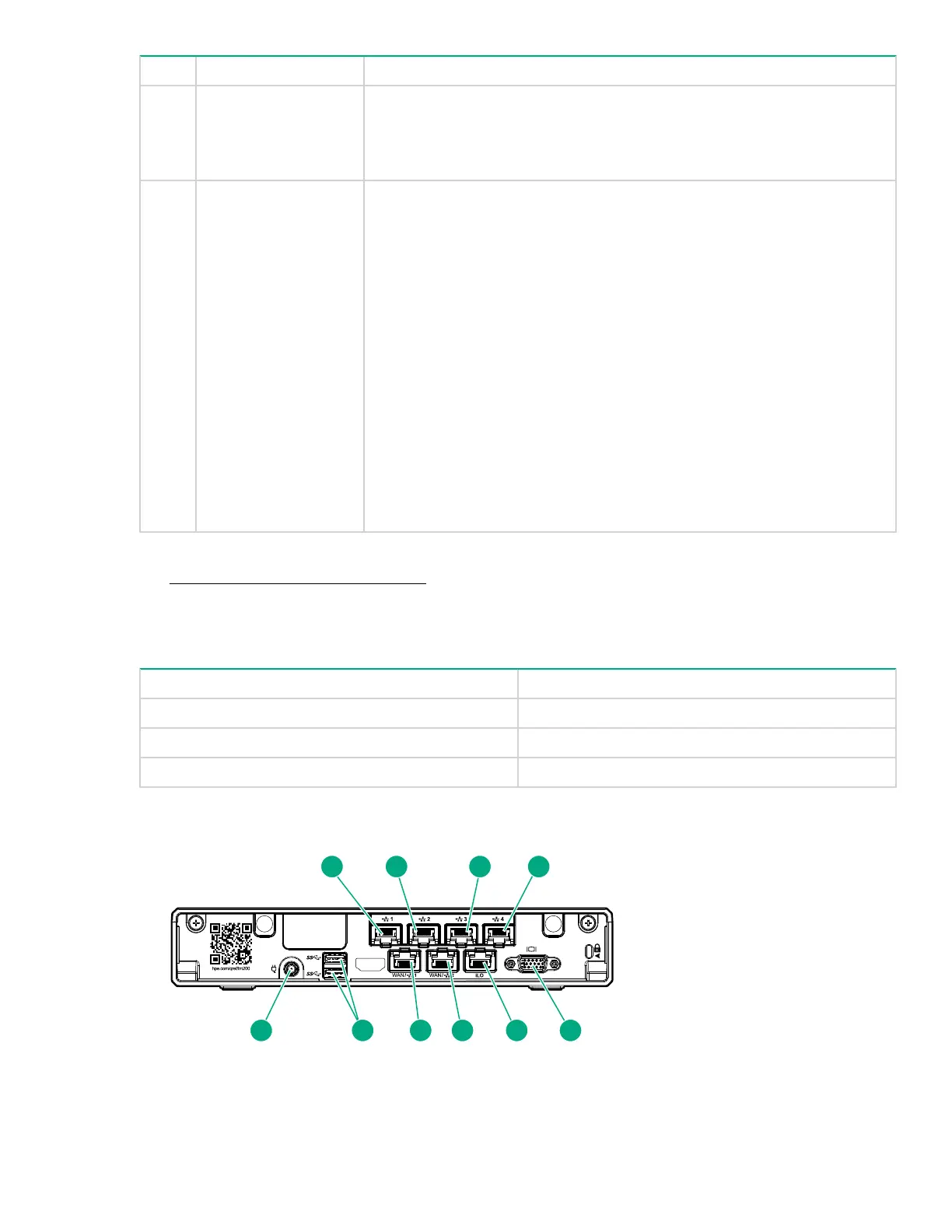
Rear panel components
Front panel LED power fault codes 7










 To Next Page