Hardware options installation
Introduction
If more than one option is being installed, read the installation instructions for all the hardware options and
identify similar steps to streamline the installation process.
WARNING:
To reduce the risk of personal injury from hot surfaces, allow the drives and the internal system
components to cool before touching them.
CAUTION:
To prevent damage to electrical components, take the appropriate anti-static precautions before
beginning any installation, removal, or replacement procedure. Improper grounding can cause
electrostatic discharge.
Installing the server in the cradle
Procedure
1. Prepare the server for hardware installation or removal.
2. If the server is installed in a wall mount or on a storage expansion unit:
• Remove the server from the wall mount.
• Remove the server from the storage expansion unit.
3. Install the server in the cradle.
4. Prepare the server for operation.
Install the server in the cradle
Procedure
1. Place the cradle on a level, sturdy surface.
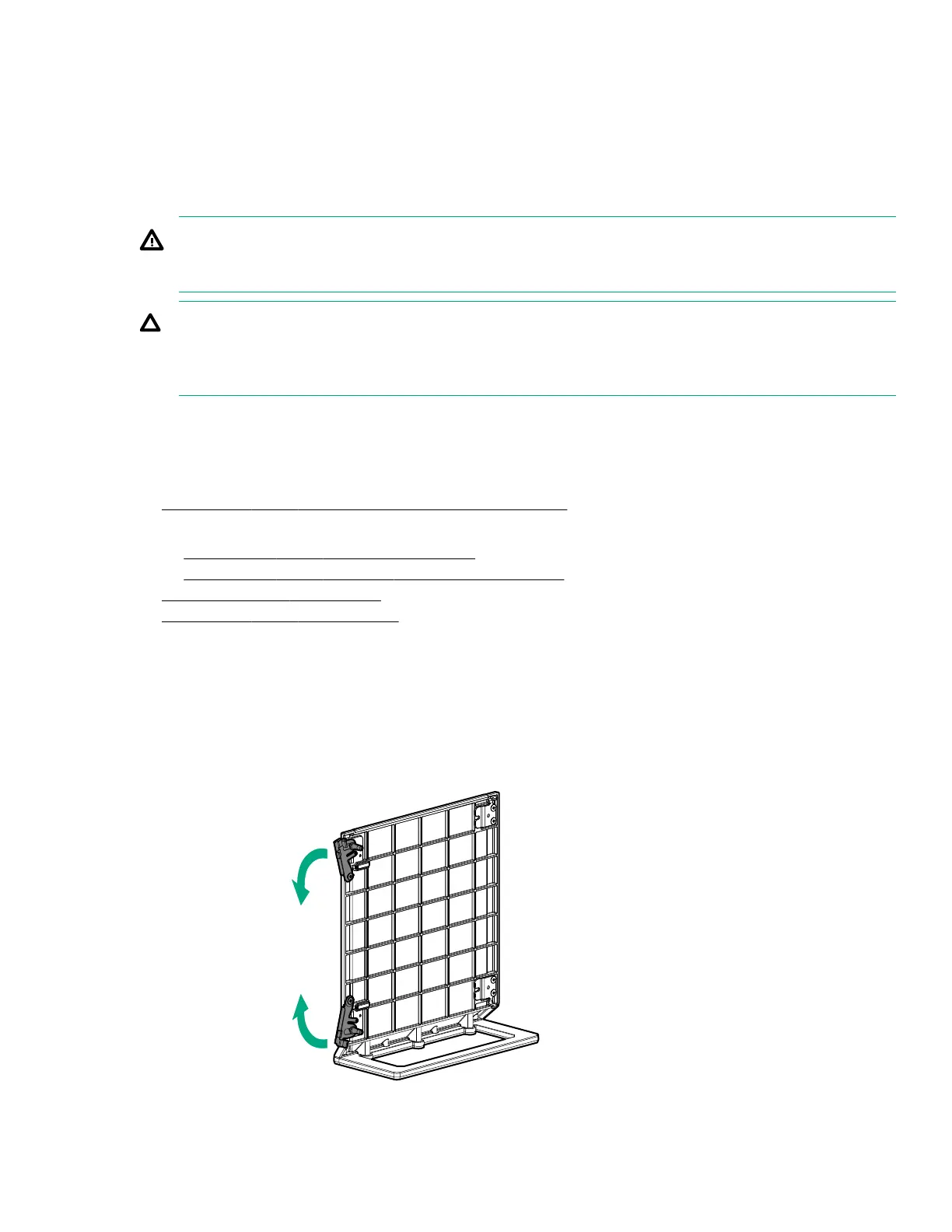
2. Open the latches on the cradle.
Hardware options installation 35










 To Next Page