Installing the Trusted Platform board
Procedure
1. Prepare the server for hardware installation or removal.
2. If the server is installed in a cradle, wall mount or storage expansion unit:
• Remove the server from the cradle.
• Remove the server from the wall mount.
• Remove the server from the storage expansion unit.
3. Remove the access panel.
4. Remove the thermal sheet.
5. Remove the communication board.
6. Remove the middle frame.
7. Locate the TPM connector on the system board.
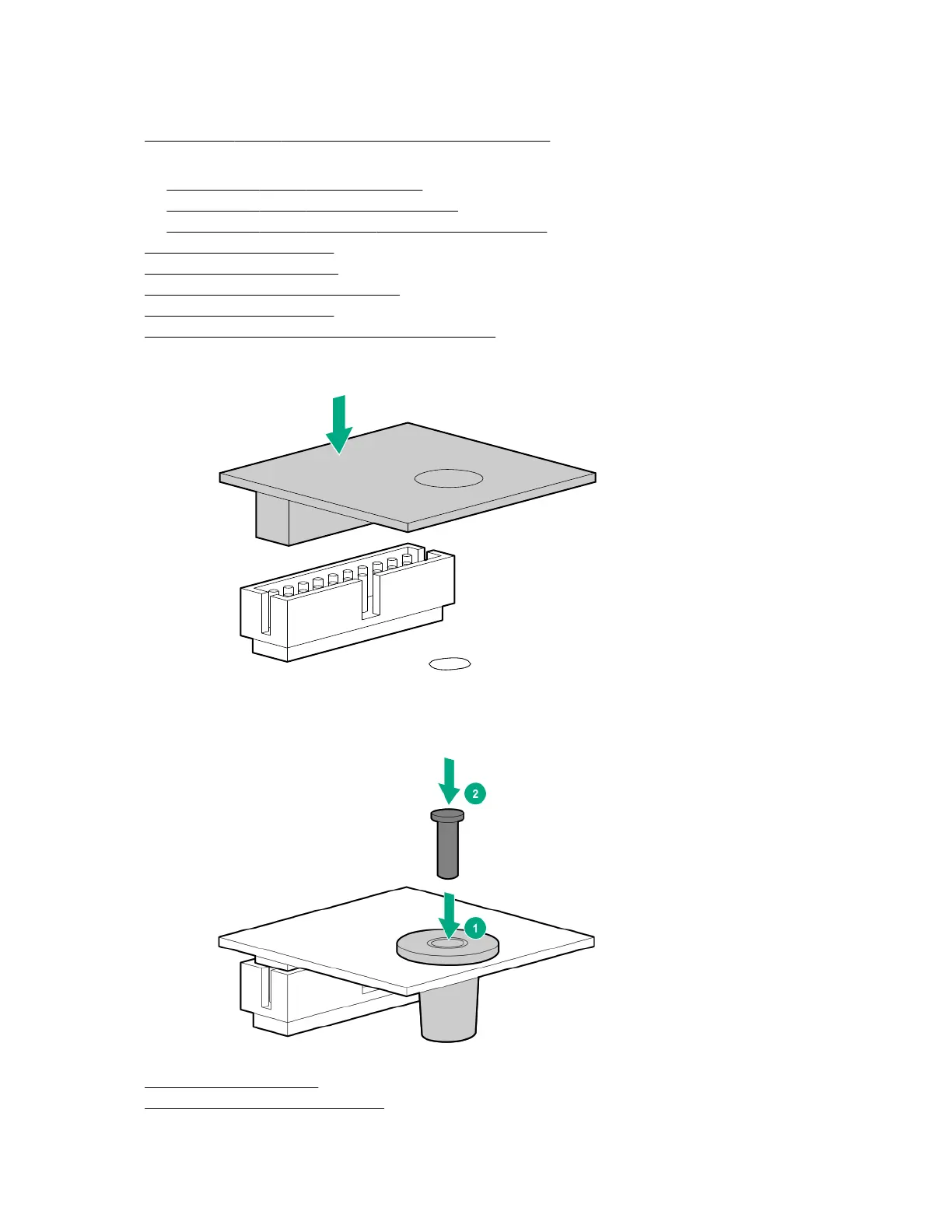
8. Install the TPM board.
9. Install the TPM security rivet by pressing the rivet firmly into the system board.
10. Install the middle frame.
11. Install the communication board.
50 Installing the Trusted Platform board










 To Next Page