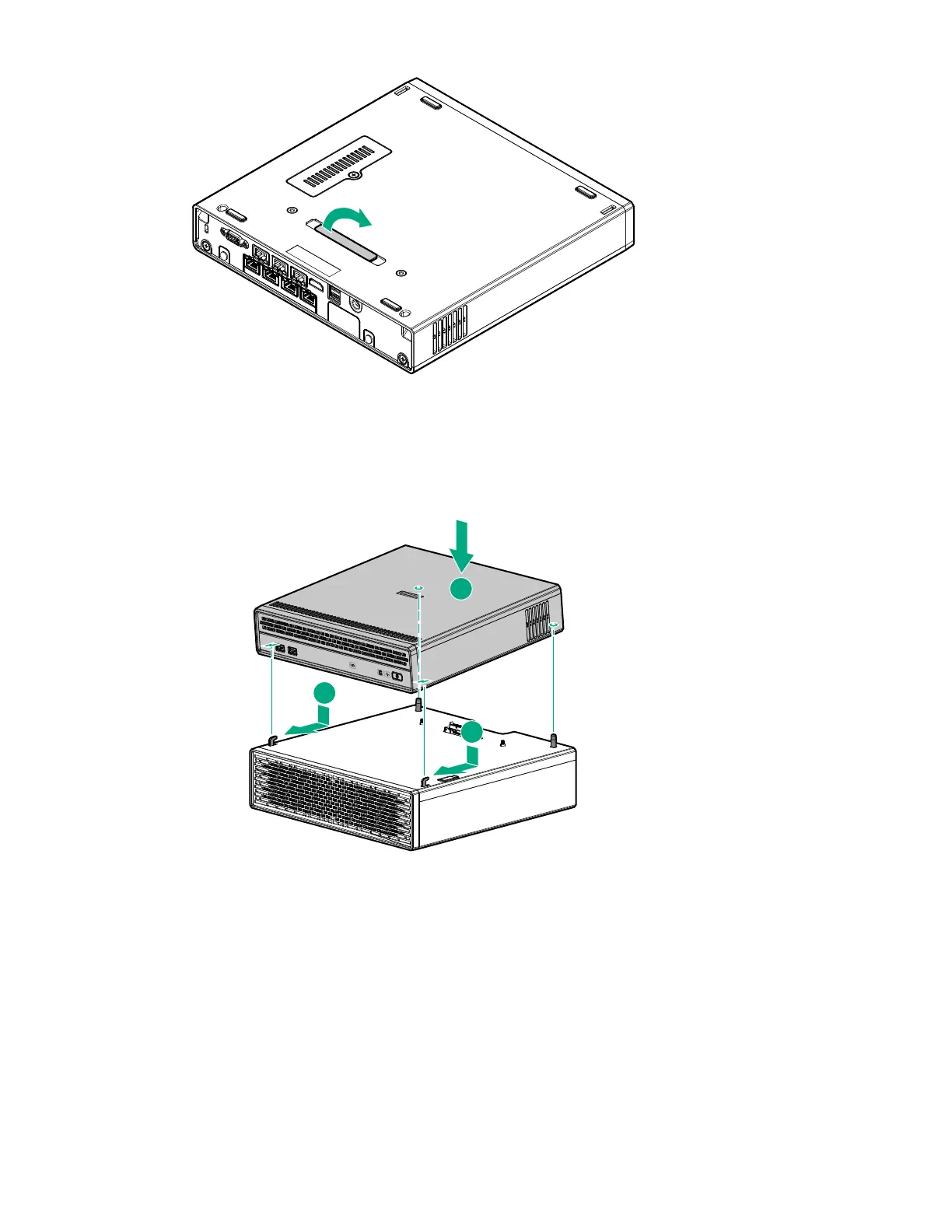
Keep the cover for future use.
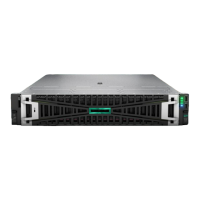
2. Insert the two hooks on top of the storage expansion unit into the corresponding openings on the bottom of
the server.
3. Tilt the server down until the two posts on top of the storage expansion unit seat into the corresponding
openings on the bottom of the server.
This docking action attaches the server to the storage expansion unit. However, the assembly is NOT yet
locked into place.
4. Hold the top side of the server and the bottom side of the storage expansion unit, and then carefully turn
the assembly over to access the bottom side of the storage expansion unit.
5. Pull the latch on the rear of the storage expansion unit.
6. Tighten the captive screws.
7. Push the latch back in place.
Hardware options installation 47










 To Next Page