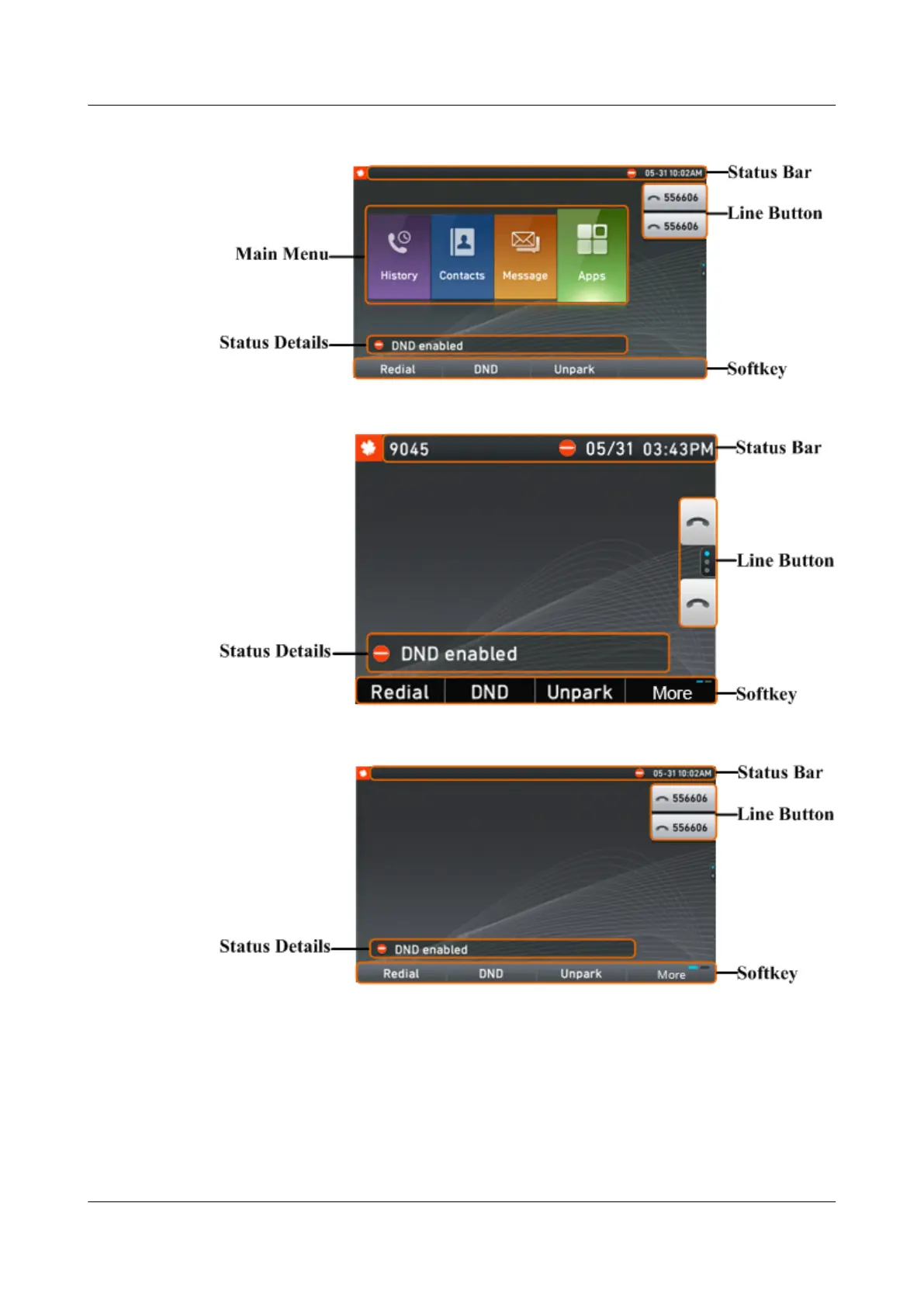
Figure 3-4 eSpace 7950 home screen in classic mode
Figure 3-5 eSpace 7910 home screen in simple mode
Figure 3-6 eSpace 7950 home screen in simple mode
3.2.2 Icons in the Status Bar
l The status bar on your phone screen displays a maximum of five icons.
l For eSpace 7910, when more than three icons are displayed, the date is automatically
hidden.
l In the IMS+UC network environment, the icon for the current phone status (for example,
idle, busy, or DND) is displayed all the time.
eSpace 7910&7950 IP Phone
User Guide
3 IP Phone Overview
Issue 03 (2017-06-30) Huawei Proprietary and Confidential
Copyright © Huawei Technologies Co., Ltd.
11



 To Next Page