Network Login Method
Asterisk You can log in to your phone using the
phone number. During the login, you need
to enter the account, user name, and
password.
For details about how to switch the input method, see 6.2 Input Method.
----End
6.2 Input Method
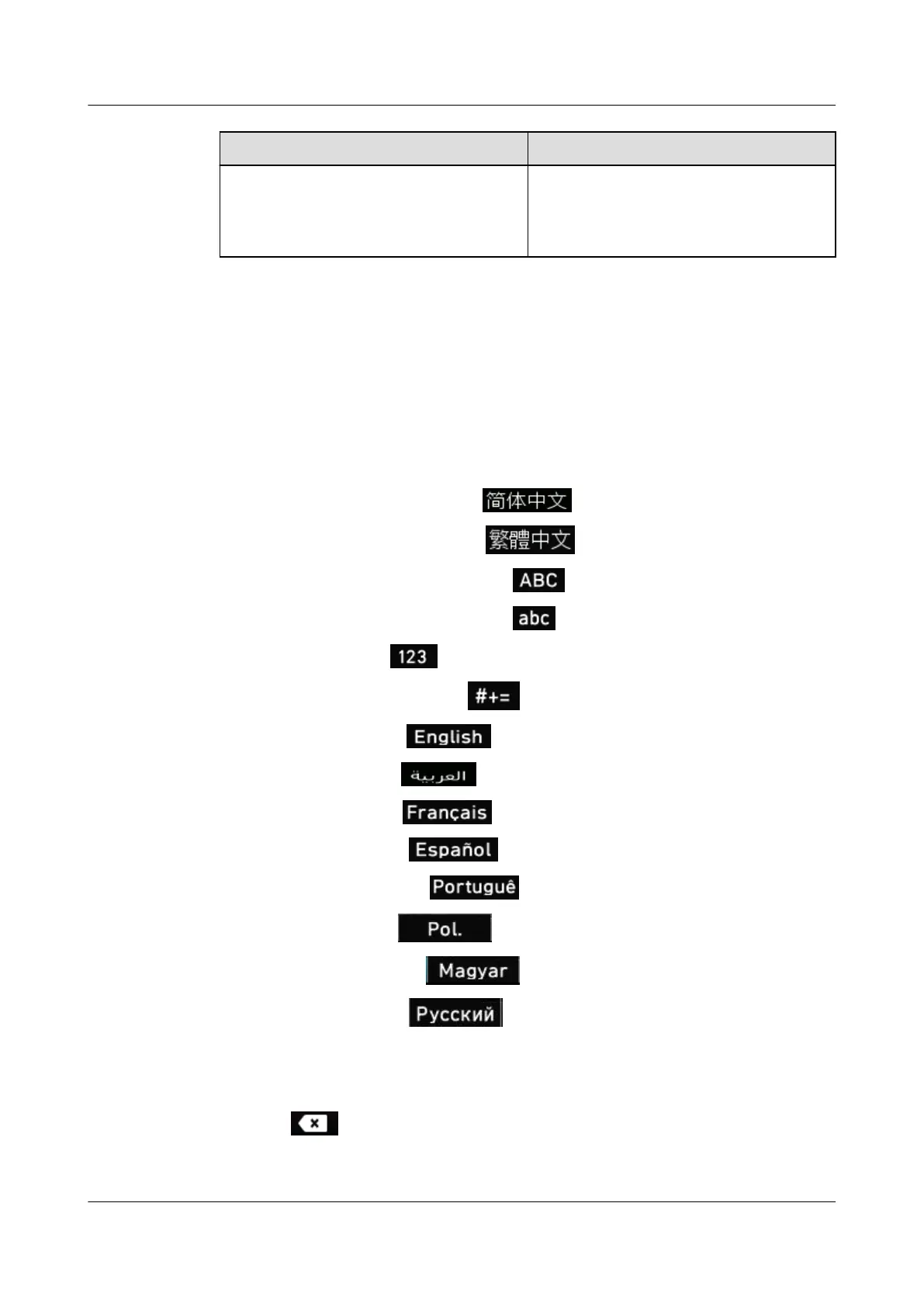
The phone provides multiple input methods for you to use flexibly.
l Chinese Simplified. The softkey is
.
l
Chinese Traditional. The softkey is .
l English uppercase letter. The softkey is .
l English lowercase letter. The softkey is .
l Digit. The softkey is
.
l Special character. The softkey is .
l English. The softkey is
.
l Arabic. The softkey is .
l French. The softkey is .
l Spanish. The softkey is
.
l Portuguese. The softkey is .
l Polish. The softkey is
.
l Hungarian. The softkey is .
l Russian. The softkey is
.
You can perform the following steps to change the input method or delete characters:
l Press the input method softkey to switch between different input methods.
l Press to delete the character on the left of the cursor.
eSpace 7910&7950 IP Phone
User Guide
6 Phone Usage
Issue 03 (2017-06-30) Huawei Proprietary and Confidential
Copyright © Huawei Technologies Co., Ltd.
60



 To Next Page