Activity Indicator
(Green)
Fault Indicator
(Yellow)
Description
Steady on Steady on The drive is faulty.
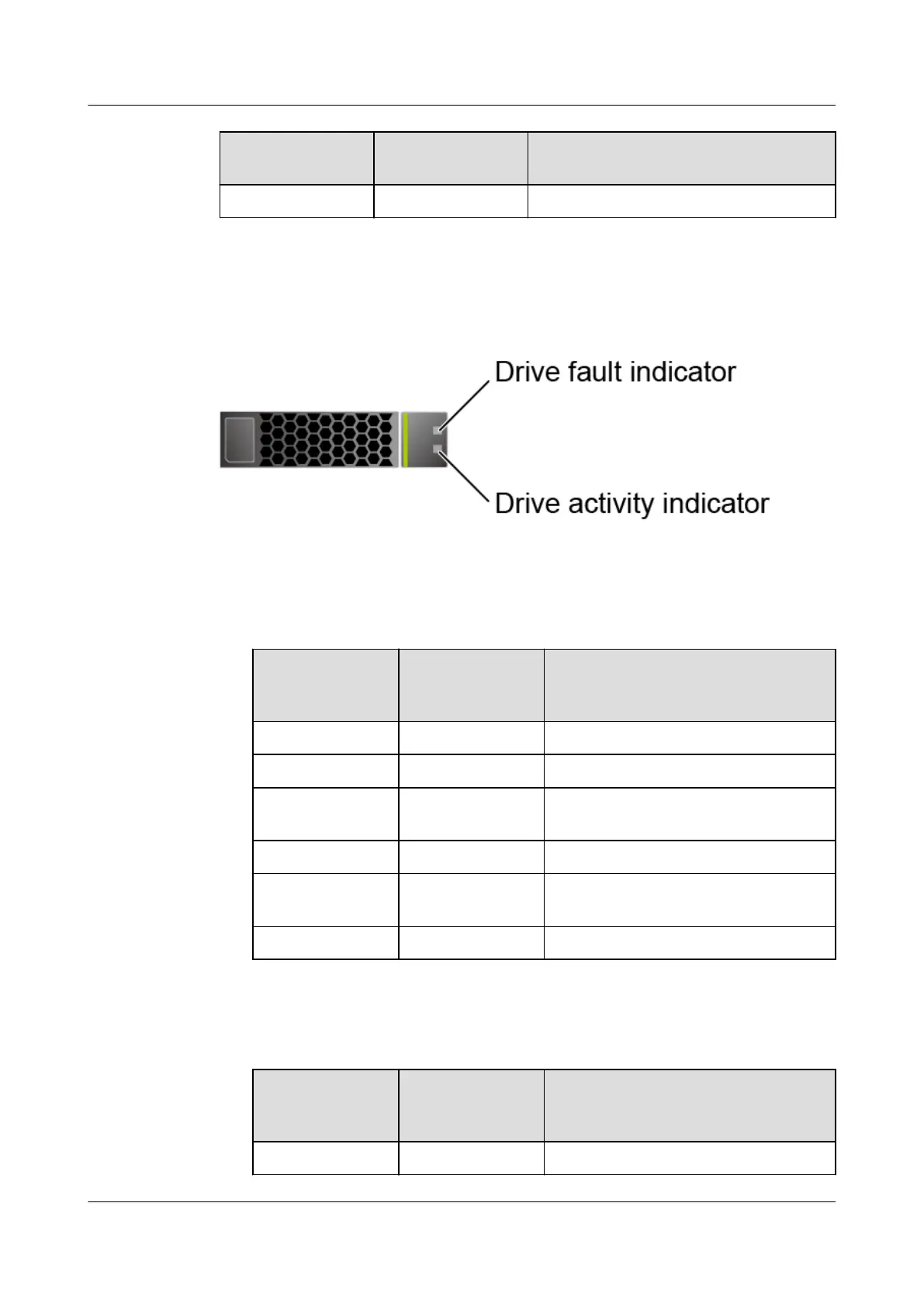
NVMe Drive Indicators
Figure 5-17 NVMe drive indicators
● If the VMD function is enabled and the latest VMD driver is installed, the
NVMe drives support surprise hot swap.
Table 5-11 Description of NVMe drive indicators (VMD enabled)
Activity
Indicator
(Green)
Fault Indicator
(Yellow)
Description
O O The NVMe drive cannot be detected.
Steady on O The NVMe drive is working properly.
Blinking at 2 Hz O Data is being read from or written
to the NVMe SSD.
O Blinking at 2 Hz The NVMe drive is being located.
O Blinking at 8 Hz The data on the secondary NVMe
drive is being rebuilt.
Steady on/O Steady on The NVMe drive is faulty.
● If the VMD function is disabled, NVMe drives support only orderly hot swap.
Table 5-12 NVMe drive indicators (VMD disabled)
Activity
Indicator
(Green)
Fault Indicator
(Yellow)
Description
O O The NVMe drive cannot be detected.
Huawei FusionServer Pro 2298 V5 Server
Technical White Paper 5 Hardware Description
Issue 05 (2020-09-03) Copyright © Huawei Technologies Co., Ltd. 30






 To Next Page