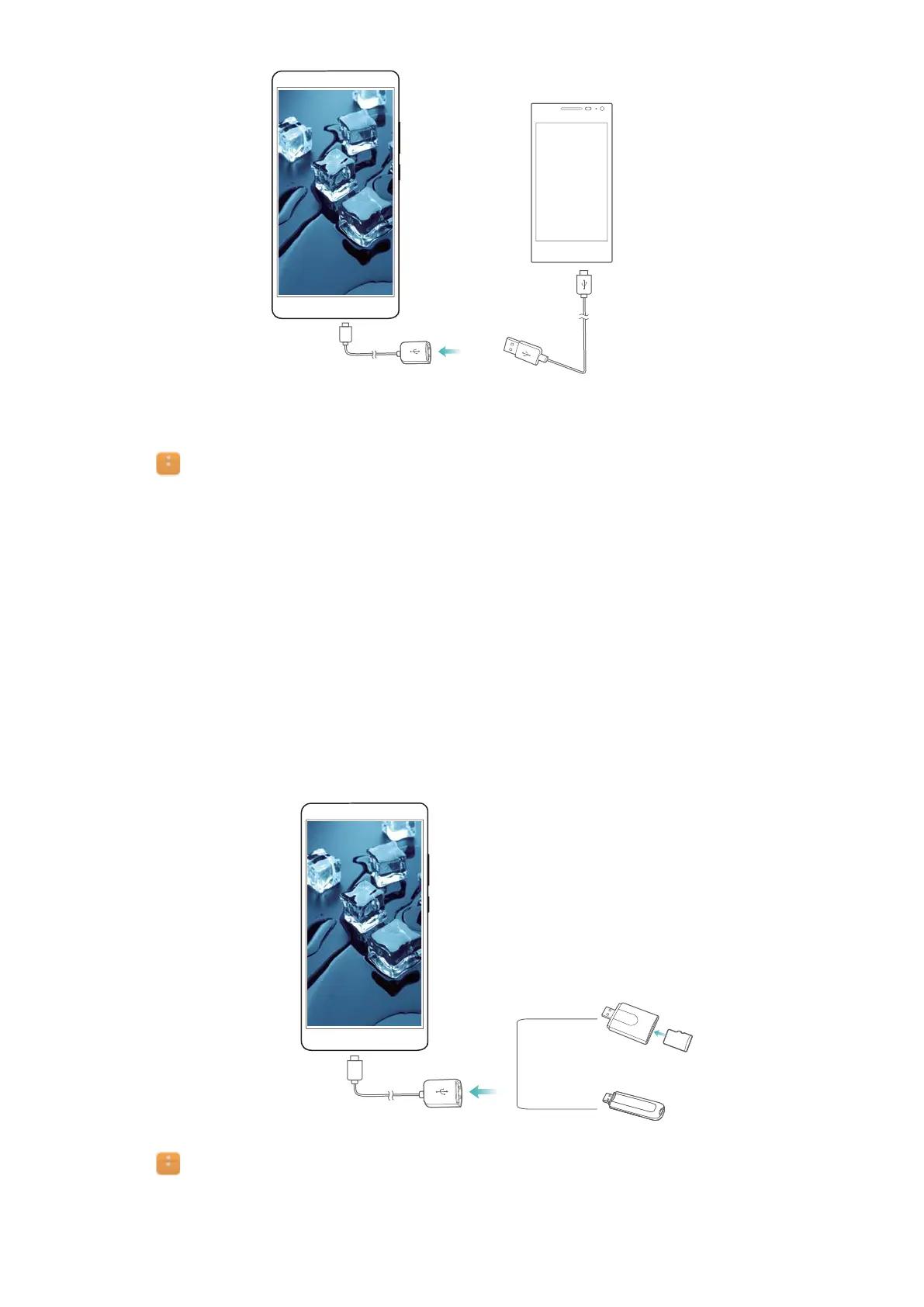
USB On-The-Go cable
USB cable
2 On the other phone, set the USB connection mode to USB flash drive.
3 T
ouch
> Local > USB drive to browse data on the microSD card. Y
ou can select and
copy data to a destination folder. For more information, see Copying, moving or deleting files.
4 When you have finished browsing, touch Settings > Advanced settings > Memory &
storage > USB drive > Eject.
5 Disconnect the USB OTG and USB data cables from both phones.
Transferring data between your phone and a USB storage device
Connect a USB OTG cable to your phone to access data on USB flash drives, card readers and
other storage devices.
1 Connect your phone to a USB flash drive with a USB OTG cable.
2 T
ouch
> Local > USB drive to browse data on the flash drive. Y
ou can select and copy
data to a destination folder. For more information, see Copying, moving or deleting files.
Accessing the Internet
107


 To Next Page