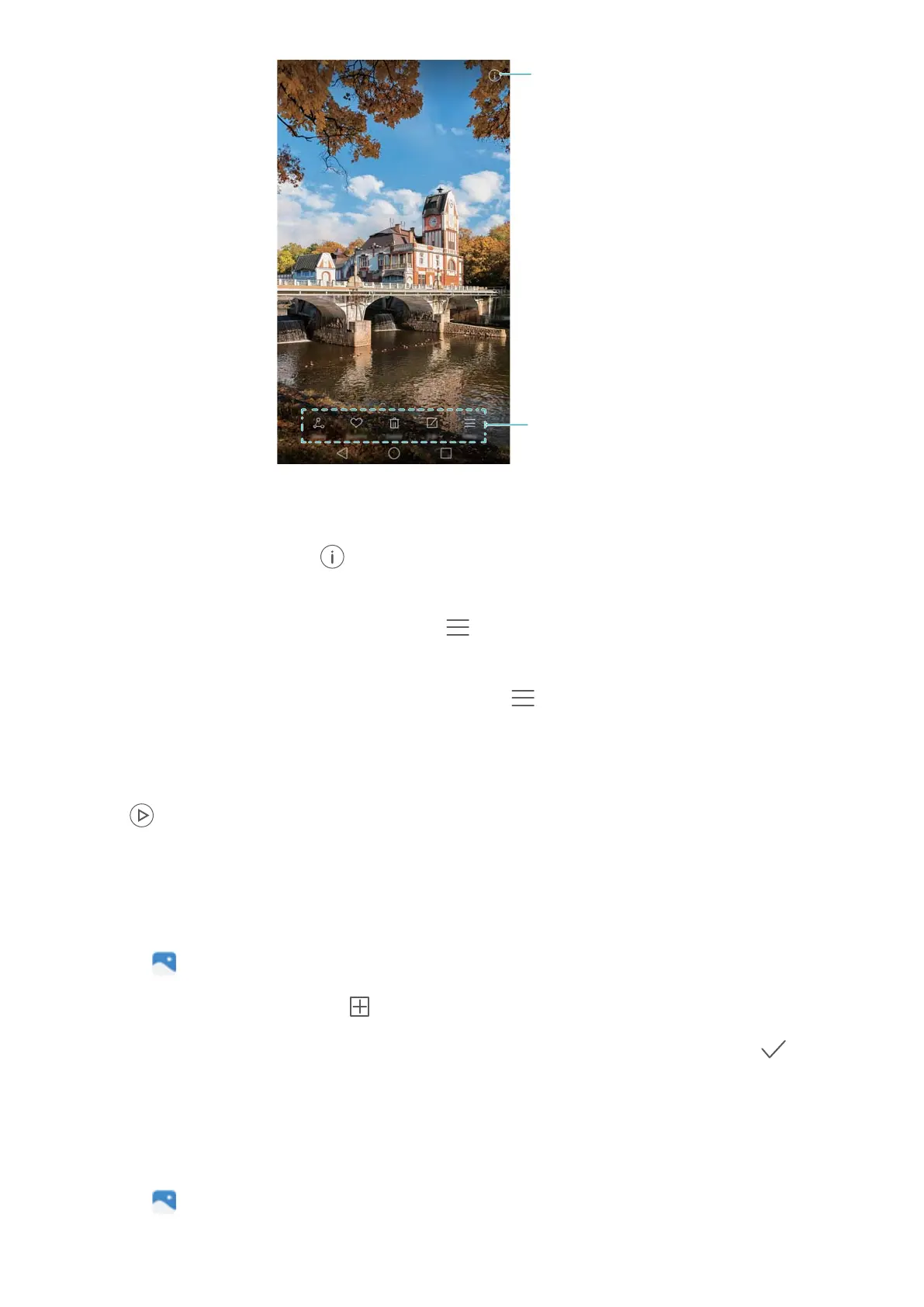
View photo details
Overlay menu
l Zoom or in out: Spread two fingers apart to zoom in, or pinch two fingers together to zoom
out.
l V
iew image details: Touch
to view the image details, such as the ISO, exposure
compensation and resolution.
l Rename photo: T
o rename a photo, touch
> Rename. Enter the new name and then
select OK.
l Set photo as the home screen wallpaper: T
ouch
> Set as > W
allpaper to set a photo
as the home screen wallpaper.
Playing a video
Touch
to play a video. Touch the screen when the video is playing to display or hide the
control bar
. For more information, see Playing a video.
Adding photos or videos to a new album
1 Open
Gallery.
2 Go to the Albums tab. T
ouch
and then enter the album name.
3 Select the images or videos that you want to add to the new album, then touch .
4 Copy or move the photos or videos to the new album.
Moving photos or videos to other albums
1 Open
Gallery.
2 T
ouch and hold an image or video thumbnail and then select the files that you want to move.
Camera and Gallery
92



 To Next Page