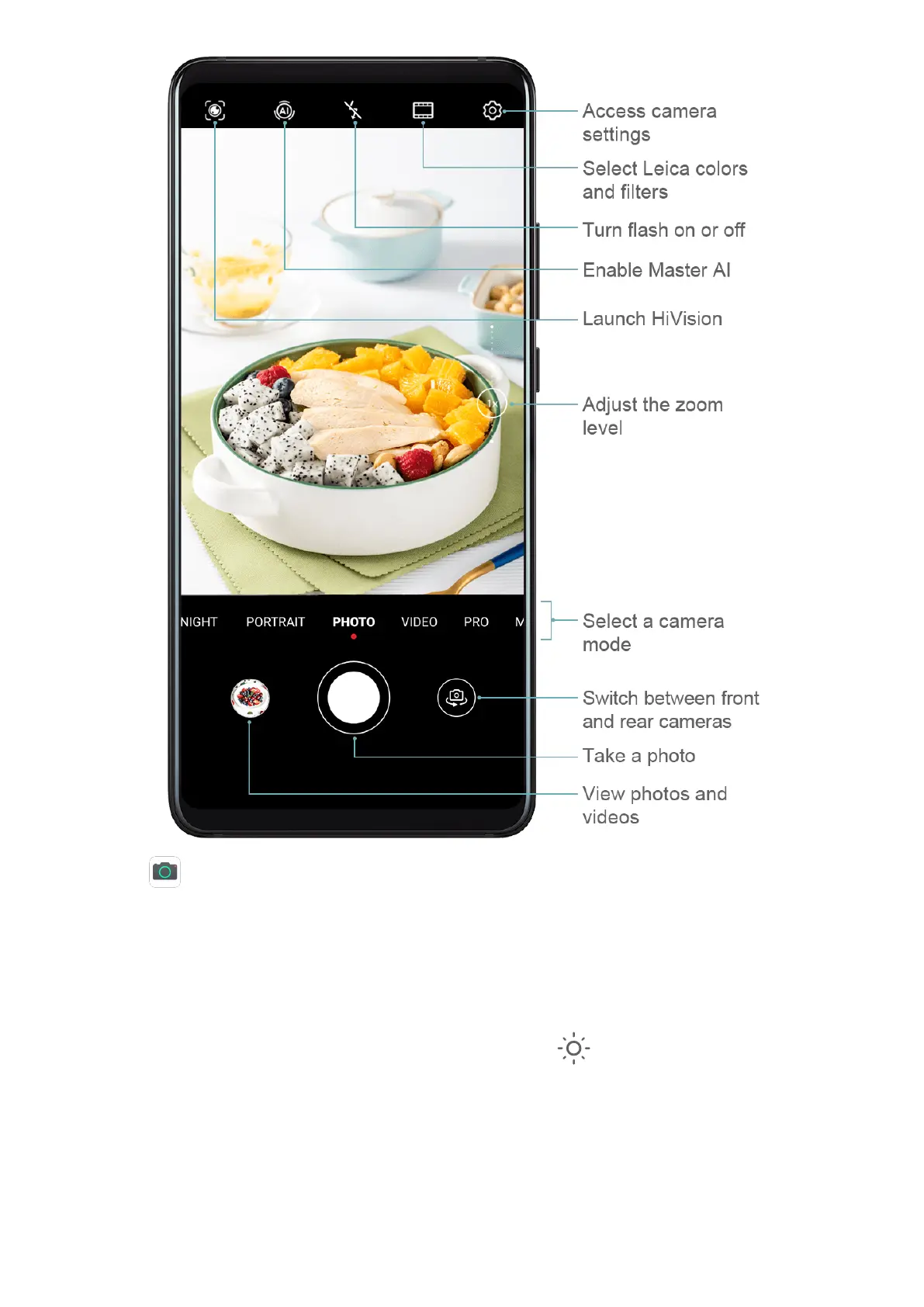
1 Open Camera.
2 You can then:
• Focus: Touch where you want to focus.
To adjust focus and metering separately, touch and hold the viewnder and drag the
individual ring or frame to the desired location.
• Adjust brightness: Touch the viewnder. When the symbol appears next to the
focus frame, drag it up or down.
• Zoom in or out: On the viewnder, pinch or spread two ngers, or drag the zoom
slider.
• Select a camera mode: Swipe left or right across the camera mode options.
Camera and Gallery
53



 To Next Page