HUAWEI SE2900 Session Border Controller
Hardware Description
Huawei Proprietary and Confidential
Copyright © Huawei Technologies Co., Ltd.
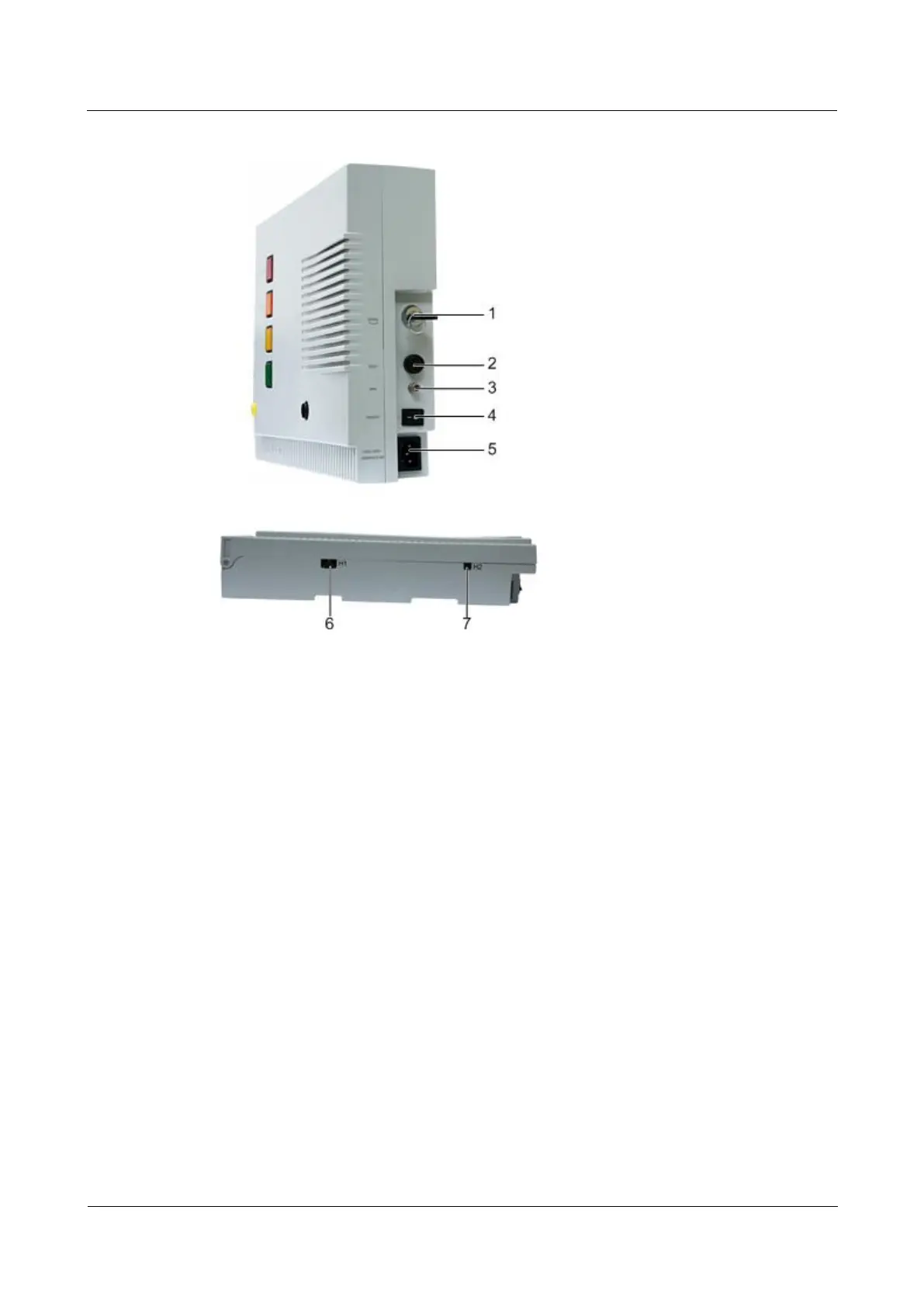
Figure 2-2 Side panel of the alarm box
3. Remote speaker interface
6. Communication interface
7. -48 V power input interface
Indicators
You can use the indicator test button to test all the indicators. On pressing the button, all the
indicators, such as the alarm indicators, alarm sound indicators, and serial interface
communication indicator, are turned on. To turn off the indicators, press the button again.
Except the critical alarm, the alarm sound of the major, minor, and warning alarms cannot be
turned on or off by using the alarm sound turnoff button. There are four alarm sound turnoff
indicators on the alarm box. They are EMERGENCY, IMPORTANT, ORDINARY,
PROMPTING, corresponding to the critical alarm, major alarm, minor alarm, and warning
alarm respectively.
The status of the alarm indicator is as follows:
If an indicator is on, it indicates that the alarm sound of the corresponding severity is
turned off. The alarm box does not generate alarm sound if an alarm of the
corresponding severity is reported.
If an indicator is off, it indicates that the alarm sound of the corresponding severity is
turned on. The alarm box generates alarm sound if an alarm of the corresponding
severity is reported.



 To Next Page