SUN2000 (8KTL-28KTL)
User Manual
Huawei Proprietary and Confidential
Copyright © Huawei Technologies Co., Ltd.
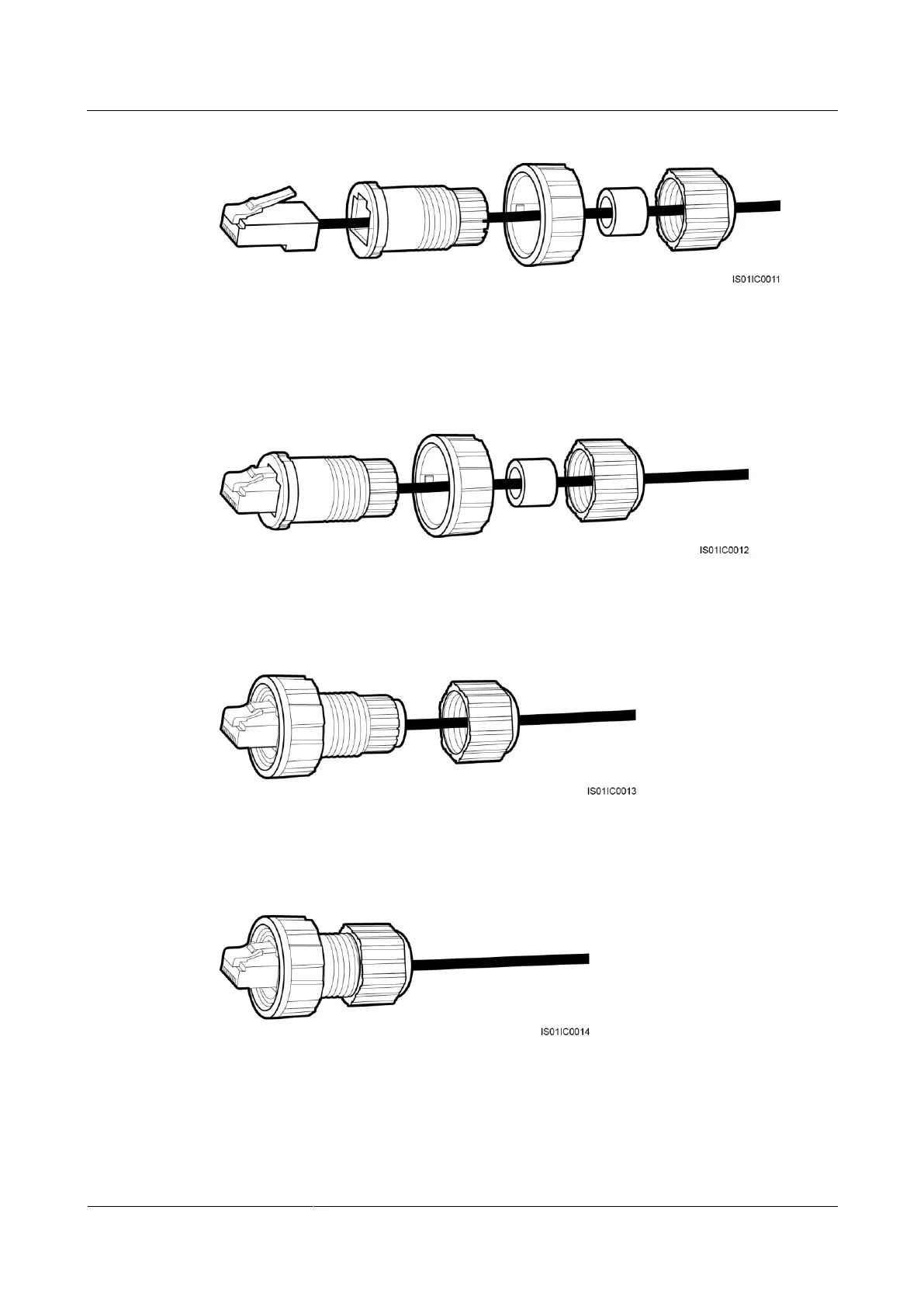
Figure 5-29 Connecting a communications cable (2)
Step 4 Crystal plug with RJ11 crimping tool.
Step 5 Secure the housing to the plug, as shown in Figure 5-30.
Figure 5-30 Connecting a communications cable (3)
Step 6 Insert the seals into and secure the screw nut to the housing, as shown in Figure 5-31.
Figure 5-31 Connecting a communications cable (4)
Step 7 Secure the sealing nut to the housing, as shown in Figure 5-32.
Figure 5-32 Connecting a communications cable (5)
Step 8 Insert the plug into the RS485 port on the SUN2000, and tighten the screw nut.
----End




 To Next Page