EasyManua.ls Logo

Huawei SUN2000 - User Manual

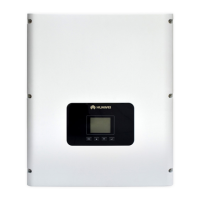
Huawei SUN2000
170 pages
Print Icon
To Next Page IconTo Next Page
Loading...
SUN2000-(3.8KTL-11.4KTL)-USL0
User Manual
Issue
01
Date
2018-05-21
HUAWEI TECHNOLOGIES CO., LTD.

Table of Contents

Other manuals for Huawei SUN2000

Questions and Answers

  • A
    April RussellSep 12, 2025
    What to do if all data fails to be obtained during Huawei Measuring Instruments operations?
    • D
      Denise AvilaSep 12, 2025
      If all data fails to be obtained during operations with Huawei Measuring Instruments, it indicates that the connection to the SUN2000 has been interrupted. To resolve this, reconnect to the SUN2000.
  • S
    Shane SantosSep 10, 2025
    How to fix Huawei Measuring Instruments app failing to install on Android?
    • A
      anicholsonSep 12, 2025
      If the app fails to install on your Android mobile phone, it might be due to several reasons. First, your mobile phone may be running a version of the operating system that does not support the FusionHome app. In this case, upgrade the mobile phone operating system to a required version. Second, 'Allow Installation of apps from unknown sources' might not be selected. To fix this, choose Settings > Security and select 'Allow Installation of apps from unknown sources'. Finally, the original version of the app on the mobile phone might not be deleted.
  • C
    Christopher GarzaSep 9, 2025
    Why can't I obtain the SUN2000 on Huawei Measuring Instruments?
    • D
      Diane EllisSep 9, 2025
      If you can't obtain the SUN2000 using the Huawei Measuring Instruments app, there might be an error in the WiFi connection. First, check whether the WiFi connection is correct. If the list still cannot be obtained after several attempts, log out and then log in again.
  • R
    raymondgarciaSep 8, 2025
    What to do if Huawei Measuring Instruments displays 'Failed to connect to the inverter. Reconnecting...' message?
    • J
      julie70Sep 8, 2025
      If the message 'Failed to connect to the inverter. Reconnecting...' is displayed, it could be due to a weak WiFi signal or the mobile phone/router being more than 3 meters away from the SUN2000. To resolve this, ensure that the WiFi network is connected. As a solution, log out of the app and then log in again.
  • C
    Crystal JohnsonAug 23, 2025
    How to fix DC Over Voltage on Huawei Inverter?
    • S
      Stephanie NunezAug 23, 2025
      If your Huawei Inverter displays a 'DC Over Voltage' error, it means the open circuit voltage of the PV arrays is greater than the maximum input voltage of the SUN2000. This is often because too many PV modules are connected in series, leading to excessively high output voltage. To resolve this, check the number of PV modules connected in series and adjust to decrease the output voltage to meet the voltage requirements for the SUN2000.
  • G
    Gregory WilliamsSep 5, 2025
    How to fix Firmware Upgrade Failed on Huawei SUN2000 Inverter?
    • R
      Rebecca BishopSep 6, 2025
      If your Huawei Inverter displays 'Firmware Upgrade Failed', it indicates that the upgrade process was not completed normally. Upgrade again.
  • T
    Thomas MarshallSep 4, 2025
    What causes Version Mismatch on Huawei SUN2000?
    • T
      Toni ValentineSep 4, 2025
      If your Huawei SUN2000 Inverter displays 'Version Mismatch', it means that during a software upgrade, the incorrect software version was loaded. Check whether you have performed a software upgrade recently. If yes, upgrade the software to the correct version again.
  • P
    Peter RobertsSep 3, 2025
    How to resolve String 1-6 Reverse error on Huawei SUN2000 Inverter?
    • V
      valenzuelarachelSep 4, 2025
      If your Huawei Inverter shows 'String 1-6 Reverse', it means the cables between PV arrays are connected reversely during SUN2000 installation. Check whether the cables between PV arrays are connected reversely. If they are connected reversely, reconnect the cables properly.
  • T
    Tammy CantrellSep 2, 2025
    What does String 1-6 Abnormal mean on Huawei SUN2000?
    • R
      Rose SchwartzSep 3, 2025
      If your Huawei Inverter displays 'String 1-6 Abnormal', this can occur when PV arrays are shielded for a long time or the PV arrays deteriorate. Check whether the output current of a PV array is obviously less than the output current of other PV arrays. If yes, check whether the PV array is shielded. If the PV array is clear and is not shielded, check whether the PV modules are faulty.
  • C
    curtis75Sep 1, 2025
    What causes Electrical Grounding Fault on Huawei SUN2000 Inverter?
    • C
      Christopher WilliamsonSep 1, 2025
      If your Huawei Inverter displays 'Electrical Grounding Fault', it could be due to the neutral wire and ground cable not being connected to the SUN2000, or when grounding PV arrays, the isolation transformer is not connected to the SUN2000 at the output side. Ensure the neutral wire and ground cable are properly connected. Also, when PV arrays are grounded, check whether the SUN2000 needs to connect to an isolation transformer at the output side and connect the transformer to the SUN2000 if needed.

Summary

About This Document

Purpose of the Document

Describes the SUN2000 in terms of installation, electrical connections, commissioning, maintenance, and troubleshooting.

Intended Audience

Specifies the target users for this manual, including PV plant operation personnel and qualified electrical technicians.

Symbol Conventions

Defines the various symbols used in the document to convey important safety and operational information.

Safety Precautions

Personnel Requirements

Outlines the qualifications and training required for personnel performing operations on Huawei products.

Protecting Labels

Advises against damaging or scrawling labels on the SUN2000 enclosure, as they contain important safety information.

Installation Safety

Provides initial safety instructions for the installation process, including powering off the device.

Electrical Connections Safety

Details safety warnings and requirements before making electrical connections to prevent shock or fire.

Operation Safety

Highlights safety precautions related to operating the SUN2000, including high voltage warnings.

Maintenance and Replacement Safety

Covers safety precautions to be followed before and during maintenance or replacement of SUN2000 components.

Product Overview

Product Introduction

Introduces the SUN2000 as a single-phase grid-tied PV string inverter that converts DC to AC power.

Appearance and Labels

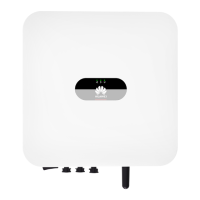
Describes the physical appearance, LED indicators, labels, and ports of the SUN2000 enclosure.

Working Principles

Explains the conceptual diagrams and working modes (Standby, Operating, Shutdown) of the SUN2000.

System Installation

Checking Before Installation

Details the steps for checking outer packing materials and package contents before installing the SUN2000.

Tools and Instruments

Lists the necessary tools and instruments required for the installation of the SUN2000.

Installation Position Requirements

Provides requirements for selecting an appropriate installation location based on basic, environmental, and structural needs.

Mounting Bracket Installation

Guides on how to install the mounting bracket for both wall-mounted and support-mounted installations.

SUN2000 Installation

Outlines the procedure for physically mounting the SUN2000 unit onto the installed bracket.

SIM Card Installation

Explains the optional procedure for installing a SIM card to enable the 4G function of the SUN2000.

Electrical Connections

Preparing Cables

Describes the networking application and provides figures for cable connections.

Installing Pipe Fittings

Details the procedure for installing pipe fittings to route cables through the SUN2000 enclosure.

Connecting AC Output Power Cable

Provides instructions for connecting the AC output power cable for both home load and critical load.

Connecting PV Input Power Cable

Guides on how to safely connect the PV input power cables to the SUN2000, including prerequisites and warnings.

Connecting Battery Cable

Explains the procedure and safety precautions for connecting the battery cables to the SUN2000.

Connecting Signal Cables

Details how to connect signal cables, including COM port definitions and routing procedures.

Installing Antenna

Describes the procedure for installing the 4G or WLAN antenna for the SUN2000.

System Commissioning

Checking Before Power-On

Presents a checklist of items to verify before powering on the system for the first time.

Powering On the System

Provides a step-by-step guide for powering on the SUN2000 system, including prerequisites and LED status checks.

Powering Off the System

Details the procedures for safely powering off the SUN2000 system, including warnings about residual electricity.

Grid-tied;Backup Mode Switching

Explains how to configure and perform automatic or manual switching between grid-tied and backup modes.

Operations on the Local FusionHome App

App Overview and Connection

Introduces the FusionHome app's function, connection methods, and system requirements.

Downloading and Installing the App

Guides on how to download and install the FusionHome app on Android and iOS devices.

Connecting to a SUN2000 WiFi Network

Explains the prerequisites and procedures for connecting the mobile phone to the SUN2000 via WiFi, directly or through a router.

App Operations by the Installer

Covers installer-specific operations within the FusionHome app, including login, quick settings, and device management.

App Operations by the User

Details user-specific operations in the FusionHome app, such as logging in, querying status, and managing settings.

App Troubleshooting

Provides common faults and troubleshooting measures for issues encountered with the FusionHome app.

System Maintenance

Routine Maintenance

Outlines regular maintenance checks for the SUN2000 to ensure long-term proper operation.

Parts Replacement

Provides detailed instructions for replacing the power compartment of the SUN2000, including prerequisites and step-by-step procedures.

SUN2000 Troubleshooting

Lists alarm severity levels and provides guidance on common alarms and their troubleshooting steps.

Handling the SUN2000

Removing the SUN2000

Details the procedure for safely removing the SUN2000 unit and its mounting bracket from the installation site.

Packing the SUN2000

Provides instructions on how to pack the SUN2000 for storage or transportation, using original or alternative packaging.

Disposing of the SUN2000

Advises on the proper disposal of the SUN2000 at the end of its service life according to local regulations.

Technical Specifications

Efficiency Specifications

Lists the maximum and CEC efficiency ratings for different SUN2000 models at 240V.

Input Specifications

Details the input specifications for various SUN2000 models, including current, voltage, and number of inputs.

Grid-tied Output Specifications

Provides technical specifications for the grid-tied output of different SUN2000 models, such as rated power, voltage, and frequency.

Backup Output Specifications

Lists the technical specifications for the backup output of SUN2000 models, including voltage, frequency, and apparent power.

Protection Standards

Outlines the various protection standards and certifications applicable to the SUN2000.

Trip Limits

Specifies the adjustable utility interconnection voltage and frequency trip limits and their clearing times.

Communication Specifications

Details the communication capabilities of the SUN2000, including display, WiFi, and RS485 support.

Common Parameters

Summarizes common parameters like topology, ingress protection rating, cooling mode, dimensions, weight, operating temperature, and humidity.

Grid Codes

US Low-Voltage Grid Codes

Lists various grid codes applicable to US low-voltage power grids, including their description, output mode, voltage, and frequency.

Huawei SUN2000 Specifications

General IconGeneral
ModelSUN2000
EfficiencyUp to 98.6%
MPPTYes
Max Input Voltage1100V
Number of MPPTs2
Operating Temperature-25°C to +60°C
Protection LevelIP65
CommunicationRS485
Nominal Output Voltage230V/400V

Videos

How to Reset the Password of the Huawei SUN2000 Inverter

Related product manuals