4.1 Selecting a Position for Installing the UAP2105
This describes the requirements for the installation position of the UAP2105.
Requirements for the Installation Position
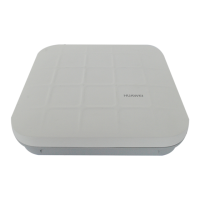
The UAP2105, a home device, is installed indoor areas that are away from children, such as
living rooms or studies. It supports the tabletop or wall-mounted installation. The UAP2105
mounted on a wall obtatains better coverage than that placed on a tabletop. Leave a minimum
of 20 cm space around the UAP2105 for heat dissipation. When selecting a position for installing
the UAP2105, adhere to the following rules:
l Do not place the AP near the window.
l Do not cover or block the AP.
l Do not overload the AP.
l Do not place AP near a microwave oven.
l Do not place the AP on an electrical device.
l Do not directly blow hot wind to the AP.
4.2 Installing the SIM or USIM Card
This describes how to install the SIM or USIM card. The data in the card enables the UAP2105
to perform user authentication and then to connect the core network after the authentication is
successful.
Prerequisite
Before installing the SIM or USIM card, power off the UAP2105 and disconnect the power
cable.
Procedure
Step 1 Insert the SIM or USIM card into the card holder, as shown in Figure 4-1.
4 Installing the UAP2105
UAP2105
User Guide
4-2 Huawei Proprietary and Confidential
Copyright © Huawei Technologies Co., Ltd.
Issue 03 (2009-08-20)


 To Next Page