Contents
About This Document.....................................................................................................................1
1 Changes in the UAP2105 User Guide.....................................................................................1-1
2 Safety Precautions......................................................................................................................2-1
3 Introduction to the UAP2105....................................................................................................3-1
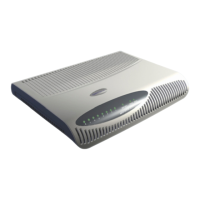
3.1 Appearance of the UAP2105...........................................................................................................................3-2
3.2 LED on the UAP2105.....................................................................................................................................3-2
3.3 Ports and Buttons on the UAP2105.................................................................................................................3-4
3.4 Specifications of the UAP2105.......................................................................................................................3-5
3.4.1 Performance Specifications of the UAP2105.........................................................................................3-5
3.4.2 Technical Specifications of the UAP2105.............................................................................................3-6
4 Installing the UAP2105..............................................................................................................4-1
4.1 Selecting a Position for Installing the UAP2105............................................................................................4-2
4.2 Installing the SIM or USIM Card....................................................................................................................4-2
4.3 Connecting UAP2105 Cables..........................................................................................................................4-3
5 Configuring the UAP2105.........................................................................................................5-1
5.1 Initial Configuration........................................................................................................................................5-2
5.1.1 PPPoE Mode..........................................................................................................................................5-2
5.1.2 FE Direct Connection Mode..................................................................................................................5-4
5.2 Defining a Subscriber in the AHR..................................................................................................................5-5
5.2.1 Adding a Zone........................................................................................................................................5-5
5.2.2 Adding a User.........................................................................................................................................5-7
5.3 Setting Parameters on the AP Manager...........................................................................................................5-9
5.3.1 Activating a Zone...................................................................................................................................5-9
5.3.2 Setting Parameters in a Zone................................................................................................................5-11
6 Routine Operation and Maintenance of the UAP2105........................................................6-1
6.1 Commissioning Services.................................................................................................................................6-2
6.2 Diagnosing Faults............................................................................................................................................6-4
6.3 Handling Alarms.............................................................................................................................................6-5
6.4 Upgrading the Software..................................................................................................................................6-5
6.5 Uploading AP Terminal Files.........................................................................................................................6-8
UAP2105
User Guide Contents
Issue 03 (2009-08-20) Huawei Proprietary and Confidential
Copyright © Huawei Technologies Co., Ltd.
i


 To Next Page