----End
5.2.2 Adding a User
This describes how to perform AP user management in the AHR, for example, add an AP user
in the AHR.
Procedure
Step 1 Choose Service > AP User Management. The AP User Management page is displayed.
Step 2 Click OK.
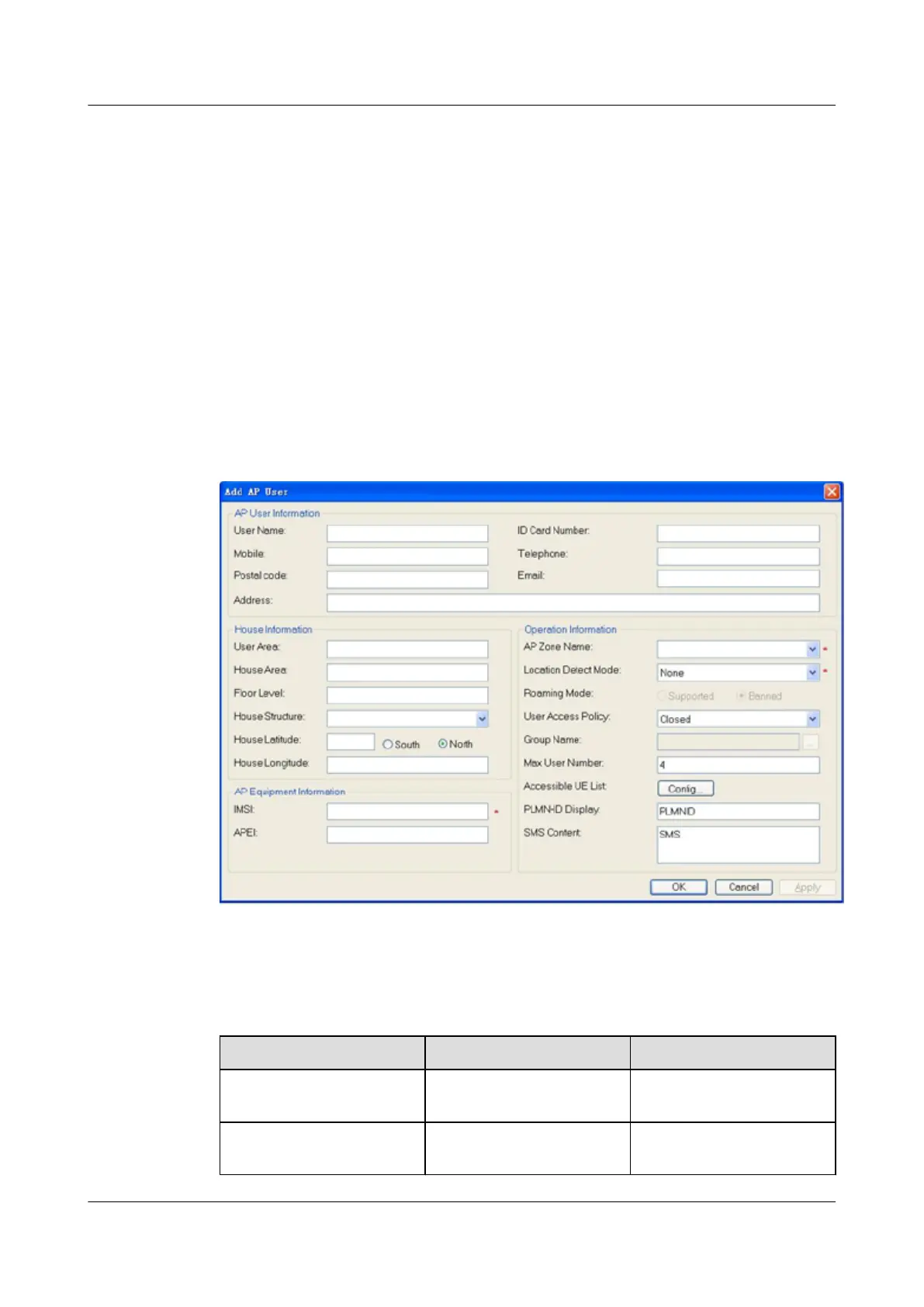
The Add AP User page is displayed, as shown in Figure 5-7.
Figure 5-7 Adding an AP user
Table 5-1 describes the parameters.
Table 5-1 Meanings of parameters
Parameter
Input Value Description
IMSI IMSI of the SIM or USIM
card used in the AP
-
AP Zone Name Name of the zone configured
in the 5.2.1 Adding a Zone
Name of the zone where the
AP is located
UAP2105
User Guide 5 Configuring the UAP2105
Issue 03 (2009-08-20) Huawei Proprietary and Confidential
Copyright © Huawei Technologies Co., Ltd.
5-7


 To Next Page