5.3 Setting Parameters on the AP Manager
This describes how to set AP parameters on the AP Manager. The parameter settings are
applicable to all APs managed by the AP Manager.
5.3.1 Activating a Zone
Before setting the parameters in a zone on the AP Manager, activate the zone.
5.3.2 Setting Parameters in a Zone
Select the zone in which parameters need to be set, and then set the APCELLAC, list of AP
frequencies, and list of AP scrambling codes.
5.3.1 Activating a Zone
Before setting the parameters in a zone on the AP Manager, activate the zone.
Prerequisite
l You have obtained the IP address, login user name, and password of the AP Manager.
l You have obtained the Mobile Network Code (MNC), Mobile Country Code (MCC), Air
Mobile Country Code (MCCAIR), Air Mobile Network Code (MNCAIR), and Air
Location Area Code Range (LACAIR) used by the AP.
l You have obtained the APCELLAC, list of frequencies, and list of scrambling codes in the
zone where the AP is located.
Procedure
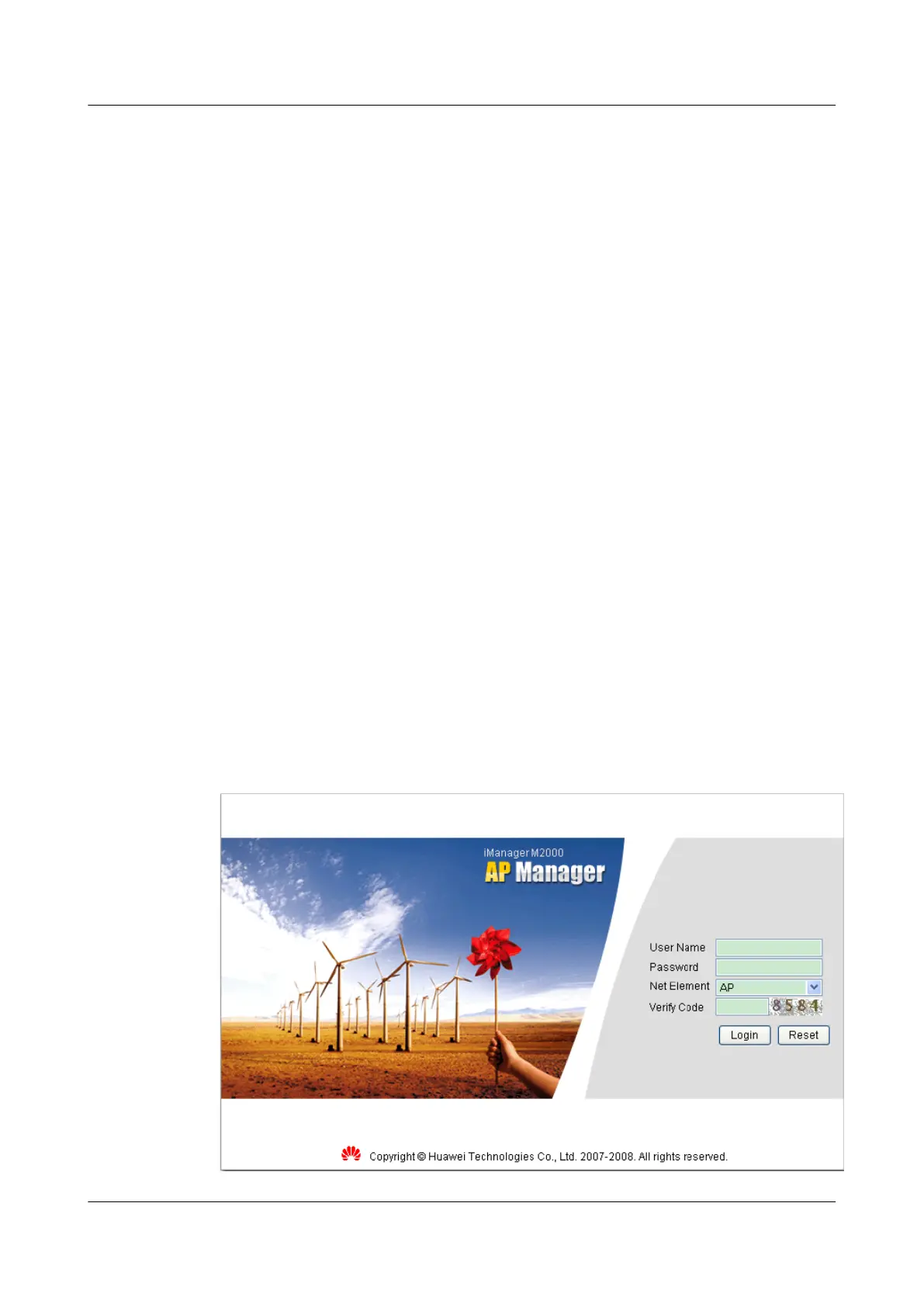
Step 1 Open the Internet Explorer (IE), and then type the IP address and login port number (such as,
http://185.22.61.79:8080/apm) of the AP Manager. The login dialog box is displayed, as shown
in Figure 5-8.
Figure 5-8 Logging in to the AP Manager
UAP2105
User Guide 5 Configuring the UAP2105
Issue 03 (2009-08-20) Huawei Proprietary and Confidential
Copyright © Huawei Technologies Co., Ltd.
5-9


 To Next Page