Step 2 Type the user name, password, and verify code to log in to the AP Manager.
NOTE
The default user name is admin, and the default password is 11111111.
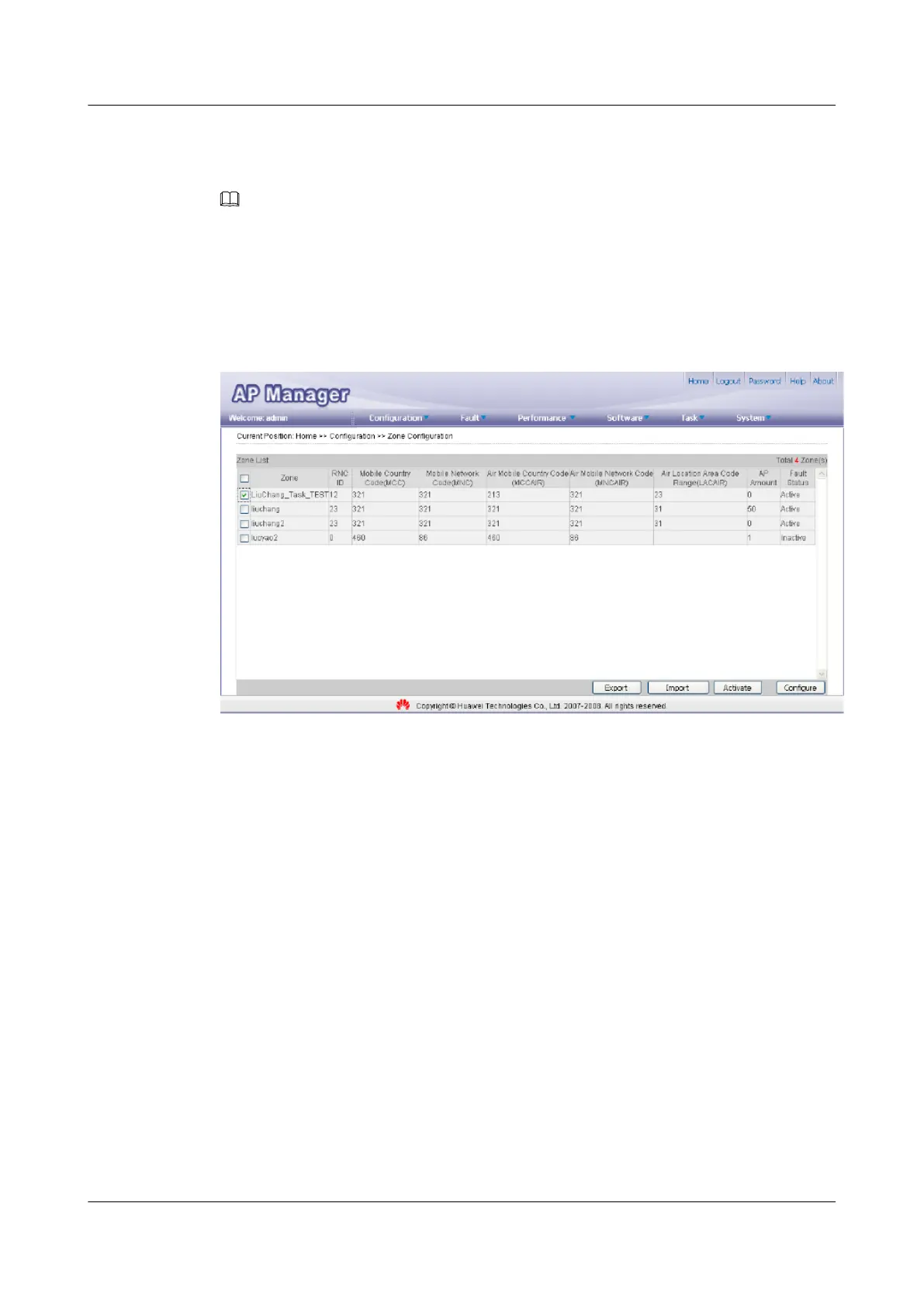
Step 3 Choose Configuration > Zone Configuration. The Zone Configuration page is displayed.
Step 4 Select the zone in which parameters need to be set, as shown in Figure 5-9. Then, click
Activate.
Figure 5-9 Configuring a zone
Step 5 Set the parameters based on network planning, and then click Activate to activate the zone, as
shown in Figure 5-10.
5 Configuring the UAP2105
UAP2105
User Guide
5-10 Huawei Proprietary and Confidential
Copyright © Huawei Technologies Co., Ltd.
Issue 03 (2009-08-20)


 To Next Page