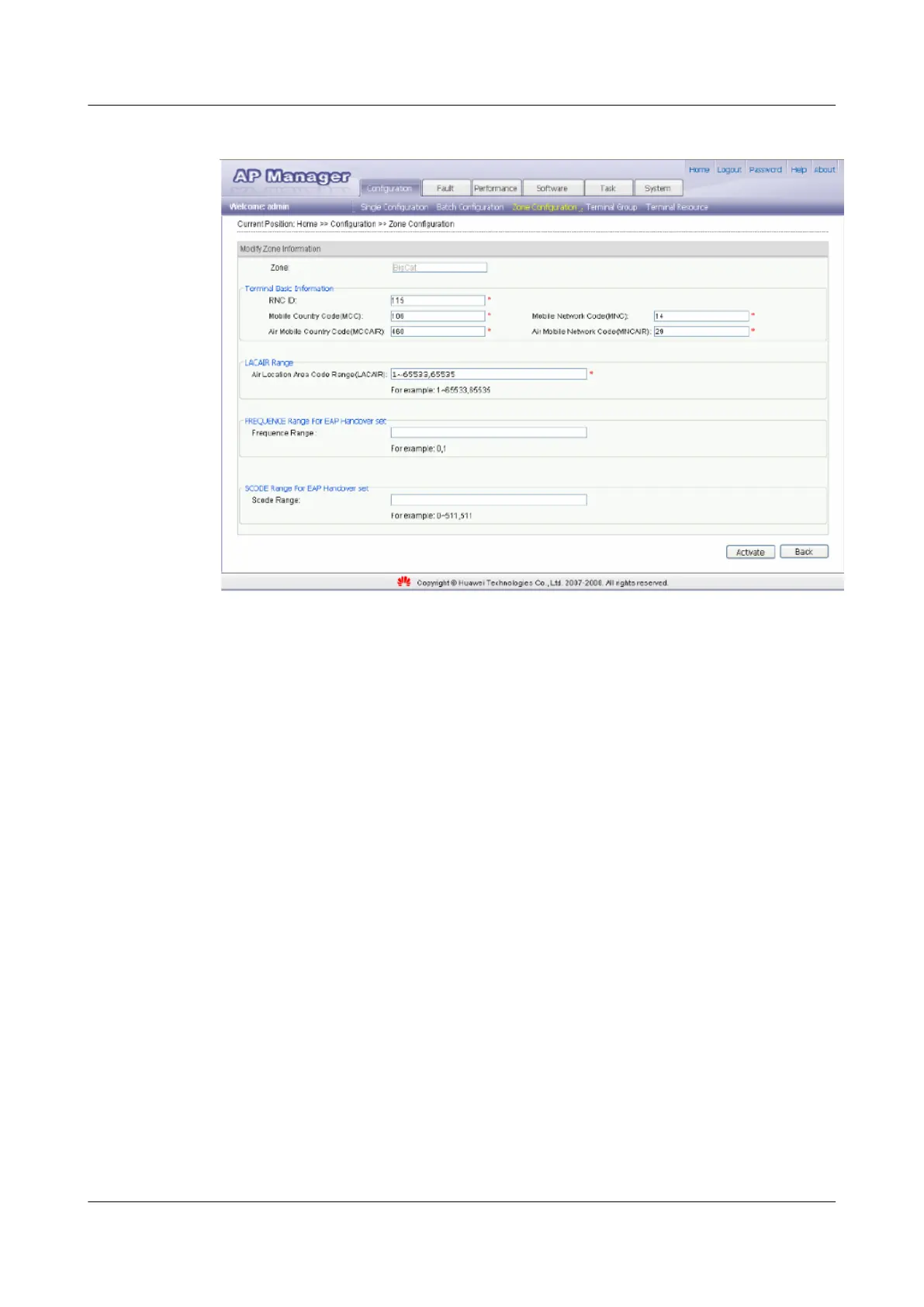
Figure 5-10 Activating a zone
----End
5.3.2 Setting Parameters in a Zone
Select the zone in which parameters need to be set, and then set the APCELLAC, list of AP
frequencies, and list of AP scrambling codes.
Prerequisite
The zone has been activated.
Procedure
Step 1 Choose Configuration > > Zone Configuration . The Zone Configuration page is displayed.
Step 2 Select the zone in which parameters need to be set, as shown in Figure 5-11. Then, click
Configure.
UAP2105
User Guide 5 Configuring the UAP2105
Issue 03 (2009-08-20) Huawei Proprietary and Confidential
Copyright © Huawei Technologies Co., Ltd.
5-11


 To Next Page