57 Control Head Setup
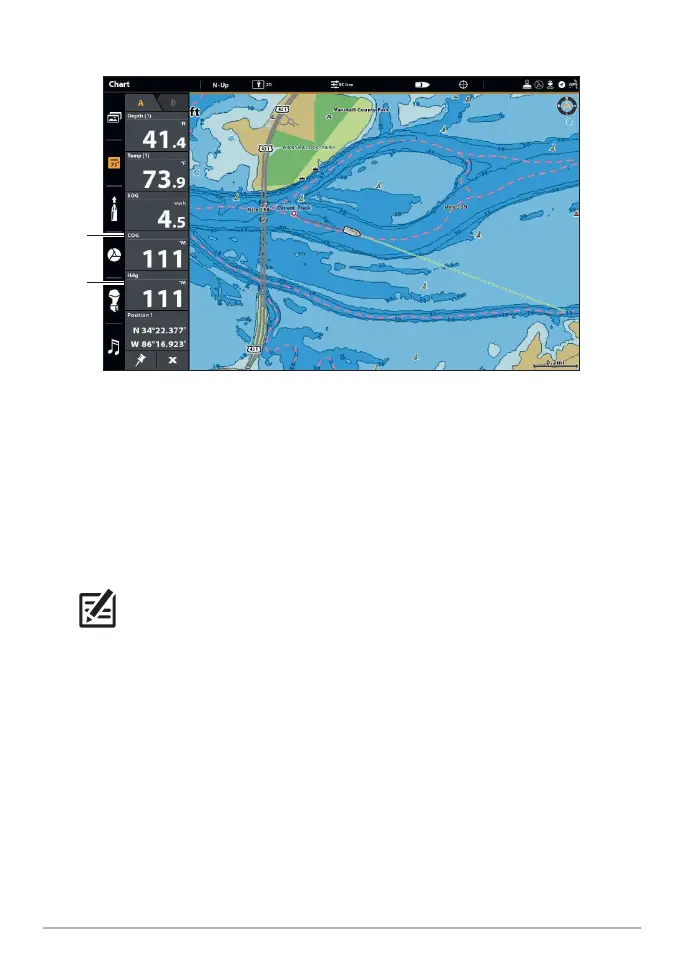
Confirming the Heading Digital Readout (APEX/SOLIX)
heading
(heading
sensor
required)
course
HELIX Series
1. Main Menu: Press the MENU key twice.
2. Select the Chart tab > North Reference > Magnetic.
3. Press the EXIT key.
4. Select the Setup tab > Select Readouts (G3N models) or Edit Data Boxes (G4N
models).
NOTE: If the Select Readouts or Edit Data Boxes menu option does not appear
under the Setup tab, change the User Mode to Custom. Select Main Menu
> Setup tab > User Mode > Custom.
5. Select a Readout position or Data Box position and use the RIGHT or LEFT Cursor
keys to select Vessel. Then select Heading. Select another Readout position or
Data Box and select Course Over Ground.
6. Press the EXIT key until the Main Menu is closed.
7. Press and hold the VIEW key. Select Chart > Chart View.
8. Navigate the boat in a straight line, in calm, open water at 4.5 mph. Compare
the Heading digital readout on the screen with the Course (COG) digital readout.
The readouts should be within approximately 5° of each other.













 To Next Page