58Control Head Setup
Adjust (G3N): To adjust the zero point of the GPS Heading Sensor, select Main
Menu > Navigation tab > Heading Offset. Press the RIGHT or LEFT Cursor keys
to adjust the setting.
Adjust (G4N): To adjust the zero point of the GPS Heading Sensor, select Main
Menu > Data Sources tab > Data Offsets> Heading Adjustment. Press the
RIGHT or LEFT Cursor keys to adjust the setting.
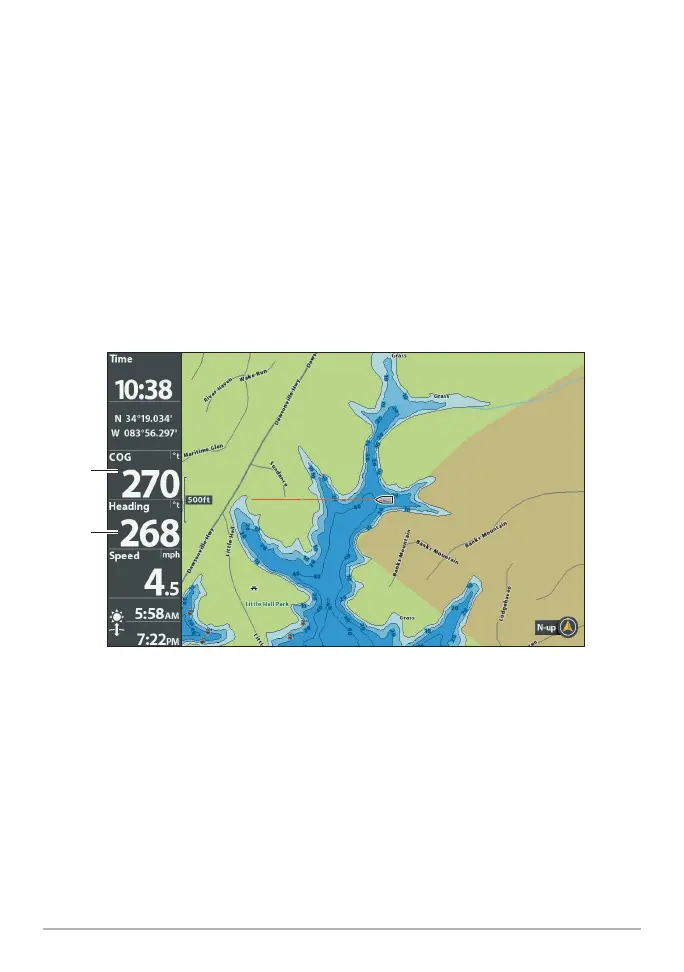
If the procedure failed: If the Heading digital readout is significantly different
than the COG, the GPS Heading Sensor might be installed in a location with
too much magnetic interference. Check the installation location and possible
magnetic disturbances in the area.
Confirming the Heading Digital Readout (HELIX)
heading
(heading
sensor
required)
course













 To Next Page