INSTALLATION
3
Installation Overview
To install your shade, you will need to perform the following four steps:
STEP 1: Mount the Installation Brackets
STEP 2: Attach the Rechargeable Battery Mount to the Headrail, If Applicable
STEP 3: Install the Shade
STEP 4: Connect the Power Source
Step 1: Mount the Installation Brackets
■
Your order will include the correct number of installation
brackets for your shade width, as shown in the table.
NOTE: Shades with a headrail-mounted rechargeable
battery wand utilize XL brackets.
NOTE: Non-kickback shades 84" in width or length will utilize XL brackets. Kickback
shades that exceed 84" in width or 78" in height will use XL brackets. These larger shades
will require spacer blocks and XL brackets if using rechargeable batteries.
➤
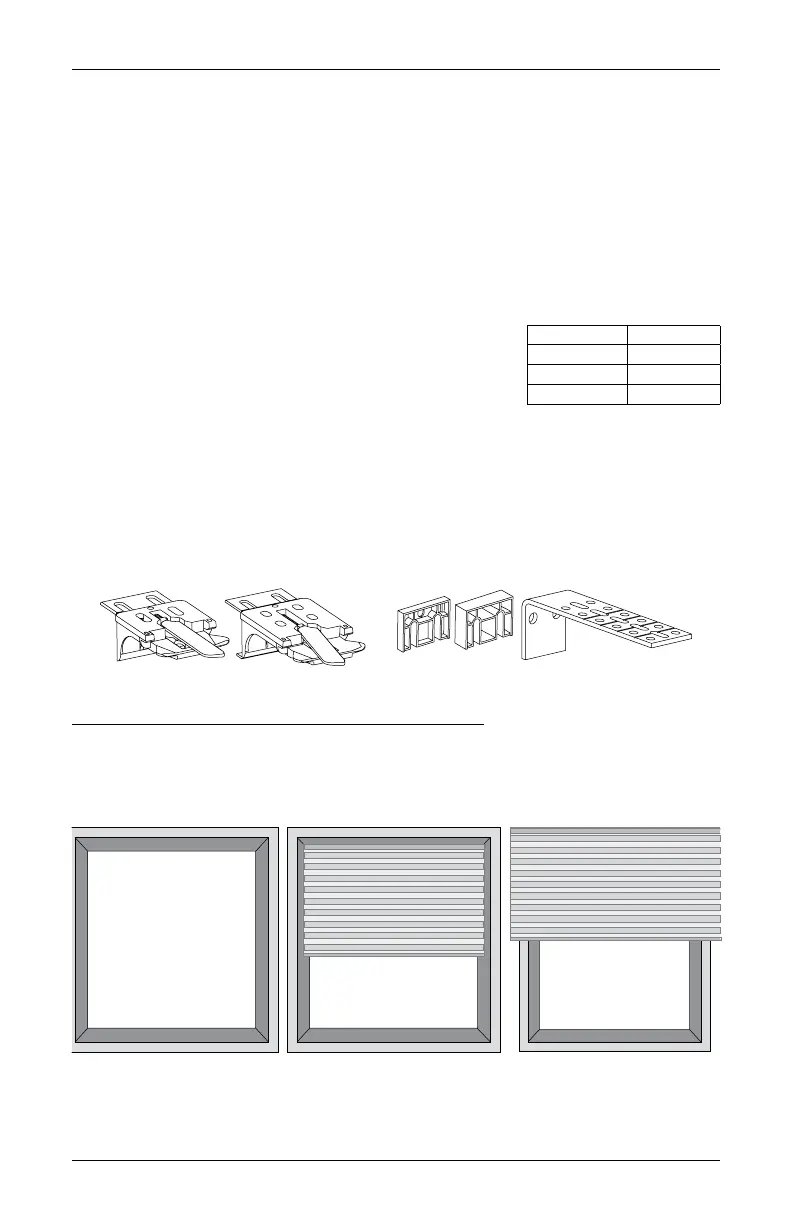
Shade orders may also include spacer blocks or extension brackets, if they were
specified for added clearance.
Mounting Types and Window Terminology
If the installation brackets are mounted correctly, the rest of the installation process follows
easily. To prepare for this important first step, review the mounting types and basic window
terminology illustrated below.
■
Refer to the appropriate page below based on your order:
➤
Inside Mount — page 4
➤
Outside Mount — page 5
Shade Width Brackets
15" – 36" 2
36
1
⁄
8
" – 79" 3
79
1
⁄
8
" – 96" 4
Outside Mount
Shades mounts
outside window
opening.
Inside Mount
Shades fits within
window opening.
Collectively, the sill and
jambs are called the
“window casement.”
Head Jamb
Sill
Jamb Jamb
Installation Brackets For Added Clearance
Extension
Bracket
1
∕
4
" or
1
∕
2
"
XL Bracket









 To Next Page