42
Monitoring Fetal Parameters
6. Monitoring Fetal Parameters
6.1 Preliminary
Ensure that the transducers and transducer belts are clean and
ready for use. In particular, check the transducers for cracks or
signs of damage. See also cleaning instructions in Section 15.
1. Switch on Team 3.
2. Check the printer (If fi tted). Ensure there is suffi cient paper.
3. Check the printer setup (FHR offsets, Twins grids).
4. Enter patient details, if required.
5. To use the Dawes-Redman CTG analysis, the gestational age must be
entered before starting the printer / recorder
6.2 Ultrasound Monitoring
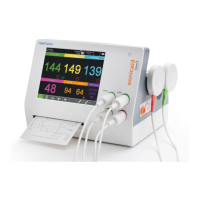
1. Connect the green transducer to the green socket marked FHR1 on Team 3.
On the main screen, the ULT1 region becomes active.
2. Palpate the abdomen to determine fetal lie and position.
3. Make the patient comfortable in a semi-recumbent or sitting position. Place
the belt around the abdomen, and secure over transducer button.
Transducer and belt
attachment
4. Apply Aquasonic coupling gel liberally to the face of the transducer. Position
the transducer on the abdomen over the fetal site. Move it slowly until the
characteristic hoof-beat sound of the fetal heart is heard.
5. When a good signal is being obtained, Team 3 displays the FHR. Check
that the fetal heart pulse lamp fl ashes with each fetal heartbeat, and that the
FHR is different from the maternal pulse rate taken at the mother’s wrist (or
by alternative means). Make a note of the maternal pulse on the chart paper.
6. Connect the fetal event marker to the socket on the rear panel. Explain
to the mother how and when to use it. Note that a timeout between presses
prevents markers being generated continuously.
7. Adjust the sound level with the volume controls on the touchscreen.
8. To start printing/recording, press the printer/recorder on/off button on the
touchscreen.


 To Next Page
 Loading...