Digital Refractor CDR-9000 149
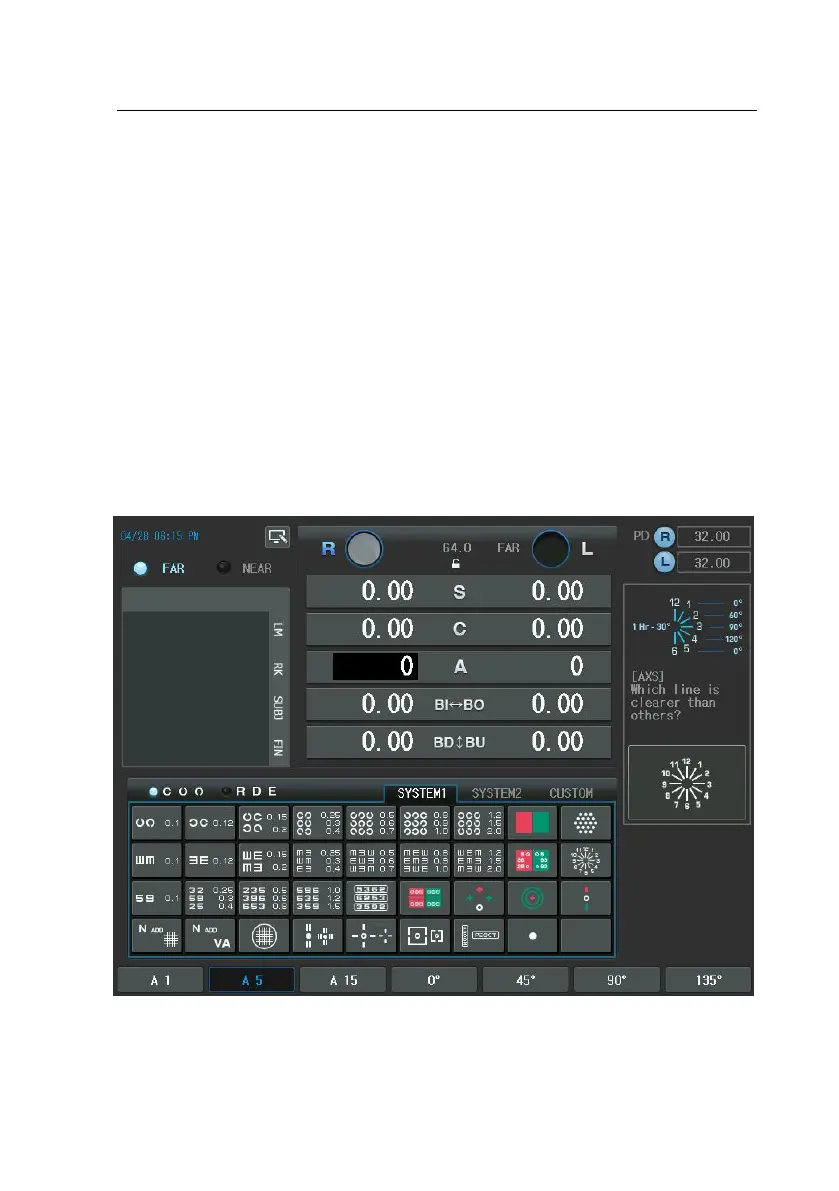
e [TEST] button and then select “ Cylinder Test-Axis ” Item of the touch sc
reen to execute this test
2. Press the [R] or [L] button to select the desired field
3. Press the [S] button to enter the spherical power mode and then apply fo
g till the numbers outside the Clock Dial appears to be clear.
4. Ask the patient which direction is thicker or clearer than other directions.
5. If the answer is “All rods are seen uniformly clear”, the patient has no asti
gmatism. Others, after multiplying the numerical of the rod by 30, press t
he [A] button to set the astigmatism.


 To Next Page