42 Digital Refractor CDR-9000
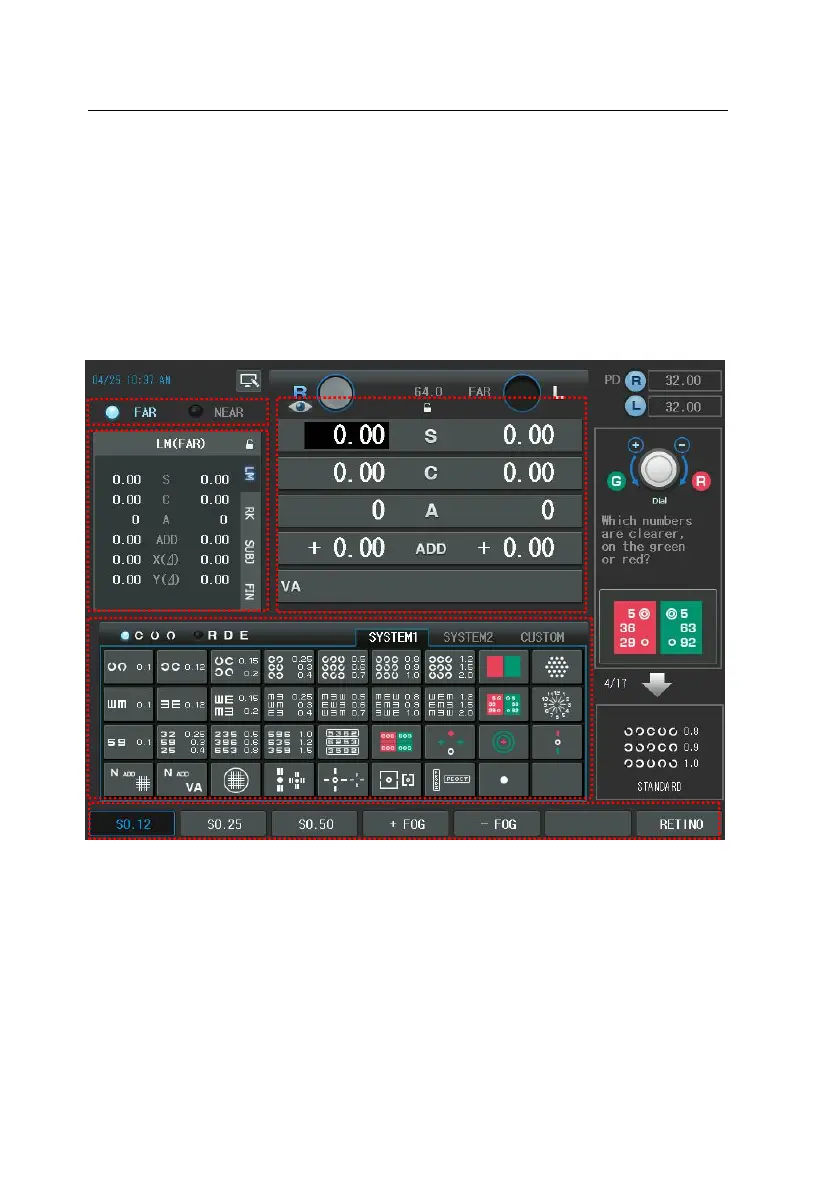
6.2. Operation of the Touch Screen Buttons
Now, it is time to discuss the features and functions of each touch buttons on t
he screen. As CDR-9000 system is made to maximize user’s convenience, you ha
ve only to be fully aware of these basic descriptions to proceed into basic opto
metry.
1) Far/Near Vision Mode button
- Changes the visual mode between the far and near (The heads of the
digital refractor will be converged mechanically and turn on near chart
illumination in case of the near working distance.)
2) Buttons for Main Data Items
- S: Spherical power (R / L / OU)



 To Next Page