Digital Refractor CDR-9000 25
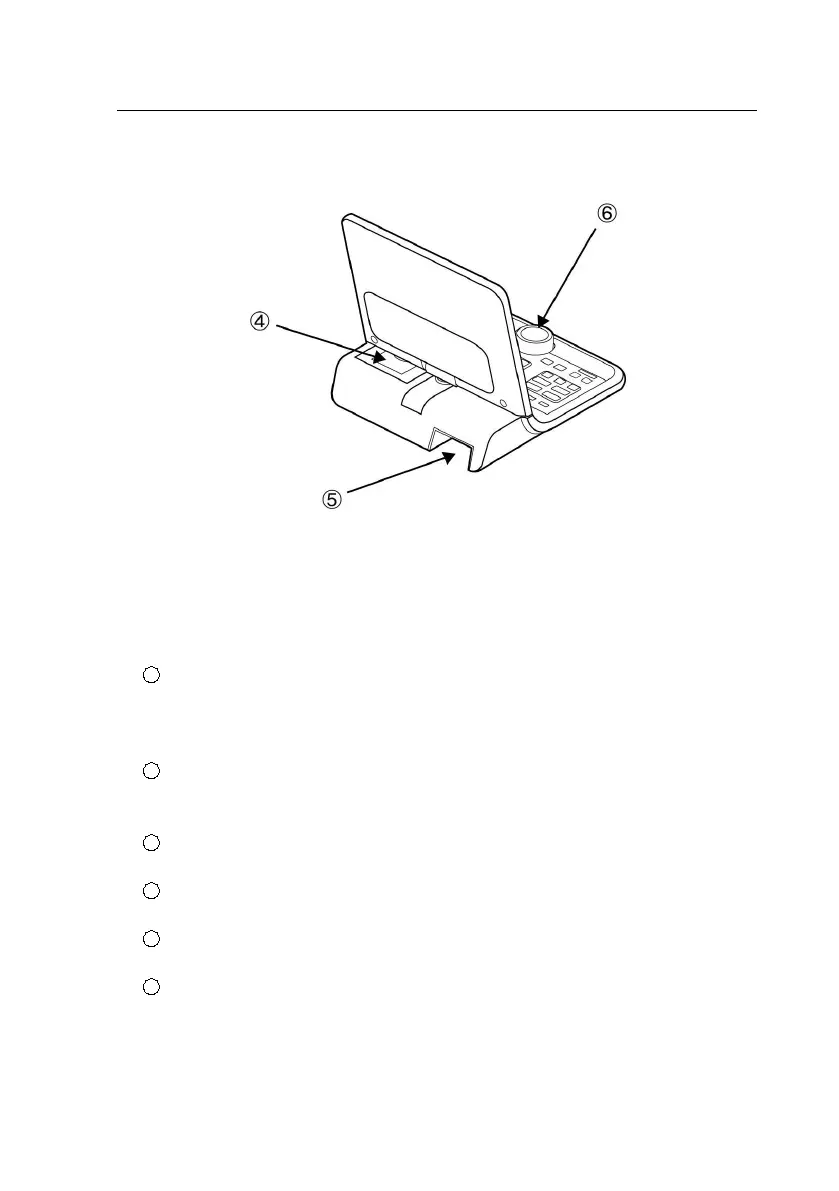
5.3.1. Detail Explanation: Front side
1
LCD display & Touch Panel: This screen is for information about the optom
etry data and procedures. Touch screen provides that it will be able to sele
ct the buttons at the screen.
2
LCD Hinge: LCD screen be able to tile with front and rear, and be
able to rotate with right and left by 90 degree direction.
3
Buttons Panel: These buttons are for the examination execution.
4
Printer: Print the examination result.
5
Cable Connector : The part to connect interface cable.
6
Dial: This dial changes the value (S/C/A/ADD/PRISM). The direction
is left for the +, right for the -. Also this dial is used to change t
he values in the system configuration menu.



 To Next Page