64 Digital Refractor CDR-9000
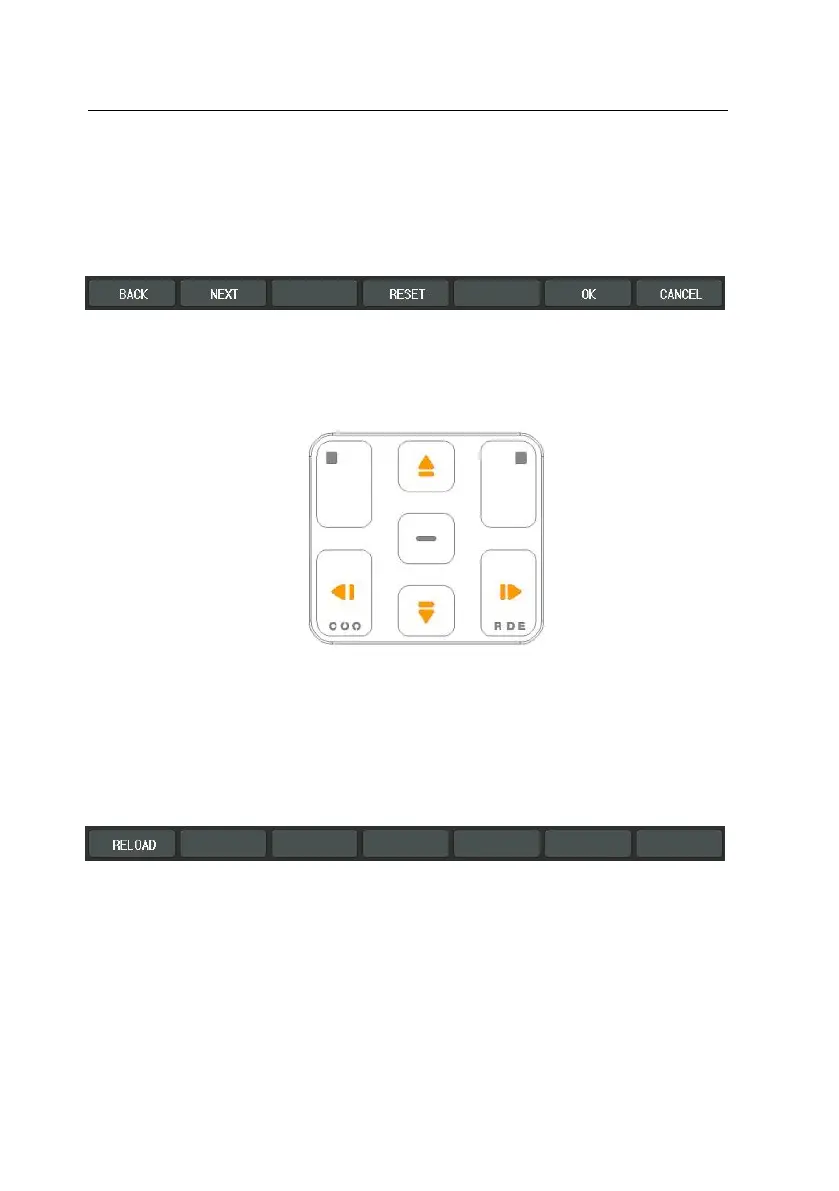
Button operations for system configuration are introduced briefly.
-
Moving: [BACK] and [NEXT] buttons of the touch screen are for moving p
age by page. Up and Down arrow buttons in the mask area are for movin
g field by field.
-
Cancel: You can be at ease when you have made unexpected mistakes. Pr
ess [RESET] button of the touch screen to revert to original values of curr
ent paged and [SHIFT] button + [RELOAD] button of the touch screen to r
evert to all the original values of all over the pages just before. Of course,
RESET and RELOAD are only applicable before saving.
-
Save and Cancel: the [OK] button of the touch screen is to save while the
[Cancel] button of the touch screen is to cancel.
-
Select Item Value: You can select list item of each categories by using pre
ss combo-box button of the touch screen. If you want to change list item
value, press combo-box button locate in list to change. Then Combo-box
button will be appears to expand. And select item value to change amon
g kind of list item. Then, At one time will be disappears expanded combo



 To Next Page