Digital Refractor CDR-9000 161
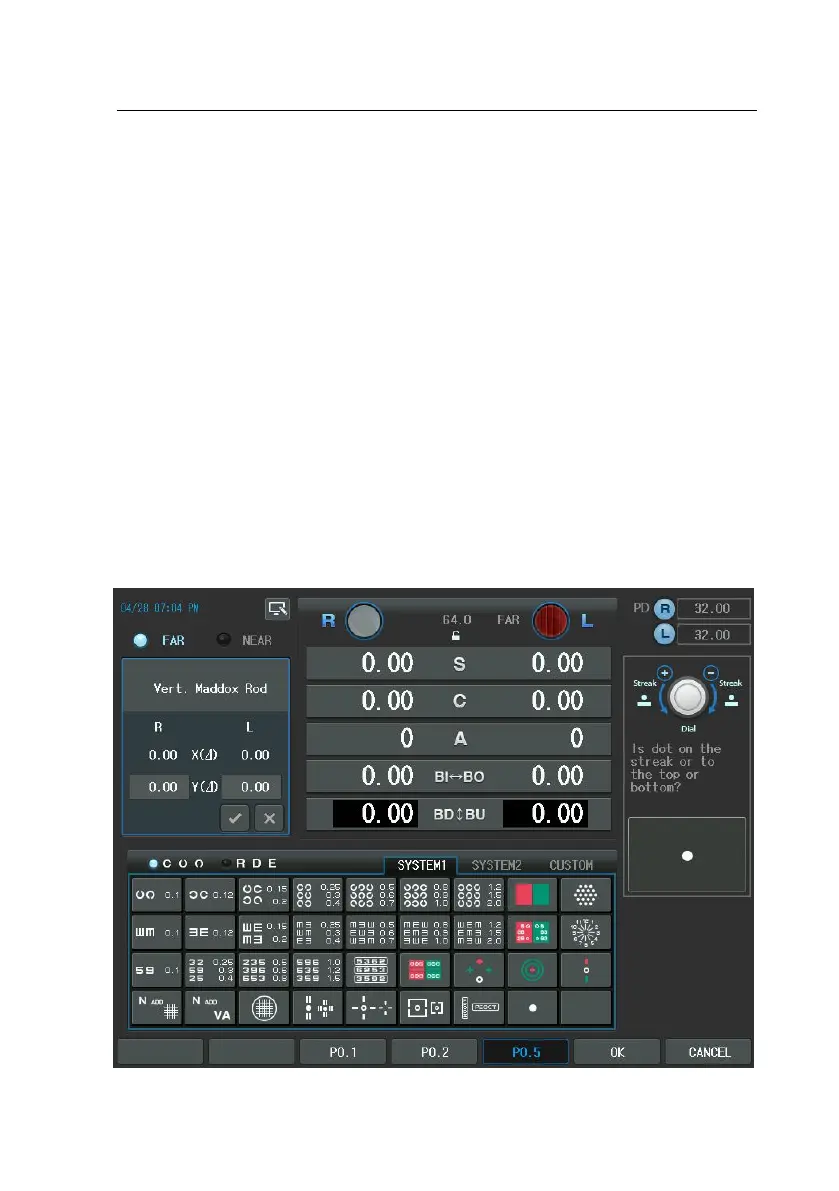
1. To enter this mode, press the Maddox Chat twice, or press the [BDBU] bu
tton and then press The Maddox chart, or press [SHIFT] button and the
Maddox chart at a time. The prism change window is presented in the lef
t-top area and the Guide Window in the right-top area. Alternately, press
the [TEST] button and then select “Vert. Maddox Rod” Item of the touch s
creen to execute this test.
2. Turn the dial till the patient says that the rod is united with the dot.
3. If the vertical rod is located up the dot, turn the dial clockwise (“-” directi
on).
4. If the rod is located under the dot, turn the dial counterclockwise (“+” dir
ection).
5. This test is ended if the rod is united with the dot.



 To Next Page