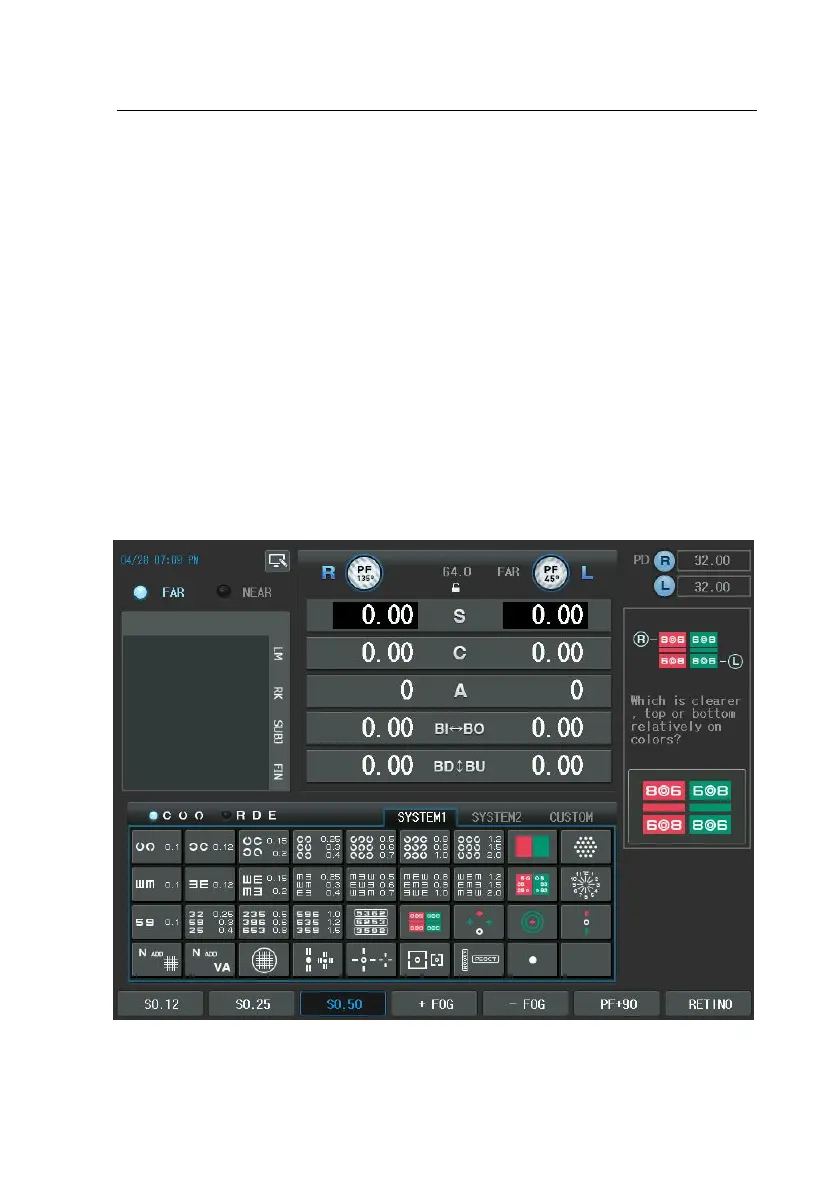
Digital Refractor CDR-9000 165
7. After pressing the [L] button, If the left side (red) is seen more clearly, tur
n the dial clockwise (“-“ direction). If the right side (green) is seen more c
learly, turn the dial counterclockwise (“+” direction).
8. Adjust the binocular balance after the right and left maximum corrected m
onocular SPH values are balanced.
9. If the upper row is seen more clearly, turn the dial counterclockwise after
pressing [R] button to increase right SPH value.
10. If the lower row is seen more clearly, turn the dial counterclockwise after
pressing [L] button to increase left SPH value.
11. Repeat this process until the whole sections are seen uniformly.



 To Next Page