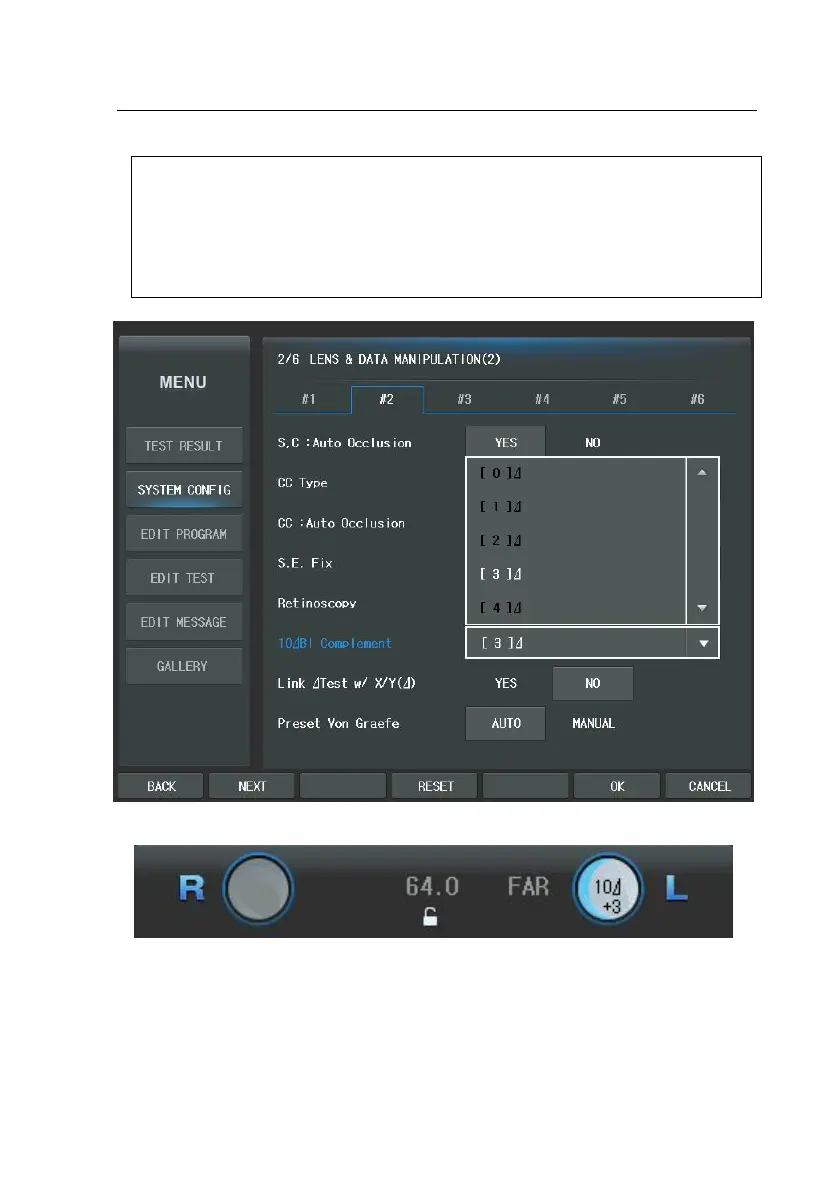
10Bl prism lens can be complemented with the prism value between 0 an
d 5. You may change this value in the "System Config" menu. According t
o this value, screen display will be changed slightly. Assign the required val
ue in “10Bl complement” on page 2 of the “System Config.” In the [MEN
U] then the complement value with ‘+’ sign will appear under 10
in the l
ens diagram, which can be referred to during measurement.



 To Next Page