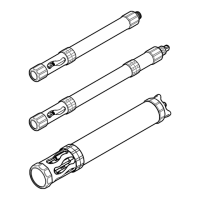
1. Clean the sensor with:
• Mild detergent
• Non-toxic, degreasing solution, such as Simple Green
®
(A registered trademark of Sunshine
Makers, Inc.)
• Warm water
• Clean, soft toothbrush
• Soft cloth and/or cotton swabs
If necessary, soak the sensor in clean water for at least 30 minutes to make the contamination
softer and easier to remove.
Note: Do not use dishwashing liquid to clean the sensor. Dishwashing liquid and household cleaners with skin
moisturizer can put a film on the sensor.
2. Rinse the sensor with clean water.
3. If the substance cannot be removed, contact technical support.
Section 17 Turbidity sensor, HL4 (9195200)
17.1 Specifications
Specifications are subject to change without notice.
Specification Details
Method Nephelometric method based on ISO 7027 (International Standard, Second Edition
1999-12-15)
Measurement units NTU, FNU
Light source 880 nm LED
Range 0 to 3000 NTU
11
Accuracy 0 to 100 NTU: ±1%; 100 to 400 NTU: ±3%; 400 to 3000 NTU: ±5%
Resolution 0 to 400 NTU: 0.1; 400 to 3000 NTU: 1.0
Maximum depth 200 m (656 ft)
Operating temperature –5 to 50 °C (23 to 122 °F), non-freezing
17.2 Product overview
N O T I C E
Do not manually turn the wiper arm because wiper motor damage can occur.
N O T I C E
The wiper can become temporarily attached to the sensor surface if it becomes dry. Do not operate the wiper dry
because wiper motor damage can occur.
The turbidity sensor (9195200) is shown in Figure 21. The turbidity sensor has a wiper that cleans
the optical surface of the sensor when power is applied to the sensor and at the start of the logging
warm-up time.
Note: The turbidity sensor with wiper (9195200) is only available for the HL4 sonde.
Refer to Sensor Settings in the online help to manually clean the turbidity sensor and set the number
of wiper revolutions in a cleaning cycle.
11
NTU and FNU are two names for the same measurement.
40 English



 To Next Page