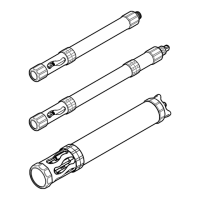
1. Clean the sensor with:
• Mild detergent
• Non-toxic, degreasing solution, such as Simple Green
®
(A registered trademark of Sunshine
Makers, Inc.)
• Warm water
• Clean, soft toothbrush
• Soft cloth and/or cotton swabs
If necessary, soak the sensor in clean water for at least 30 minutes to make the contamination
softer and easier to remove.
Note: Do not use dishwashing liquid to clean the sensor. Dishwashing liquid and household cleaners with skin
moisturizer can put a film on the sensor.
2. Rinse the sensor with clean water.
3. If the substance cannot be removed, contact technical support.
17.5.2 Replace the wiper
Replace the wiper when wear or damage is visible on the wiper. Refer to the documentation supplied
with the maintenance kit (9480800) for the turbidity sensor. Clean the sensor before maintenance.
17.6 Consumables and replacement parts
W A R N I N G
Personal injury hazard. Use of non-approved parts may cause personal injury, damage to the
instrument or equipment malfunction. The replacement parts in this section are approved by the
manufacturer.
Note: Product and Article numbers may vary for some selling regions. Contact the appropriate distributor or refer to
the company website for contact information.
Consumables
Description Quantity Item no.
< 0.1 NTU StablCal standard 500 mL 007306
20 NTU StablCal standard 500 mL 007307
40 NTU StablCal standard 1000 mL 007310
100 NTU StablCal standard 500 mL 007308
1000 NTU StablCal standard 500 mL 007309
3000 NTU StablCal standard 500 mL 2859049
4000 Formazin Standard 500 mL 246149
17.6.1 Replacement parts
Description Item no.
Maintenance kit, wiper, HL4 9480800
42 English



 To Next Page