29
Manual Mode - Preset
Instead of starting the machine with the default frequency of 5Hz
and default timer of 10-minutes, the user can preset these val-
ues. Starting at the HOME SCREEN the user clicks and holds the
MANUAL button for three seconds.
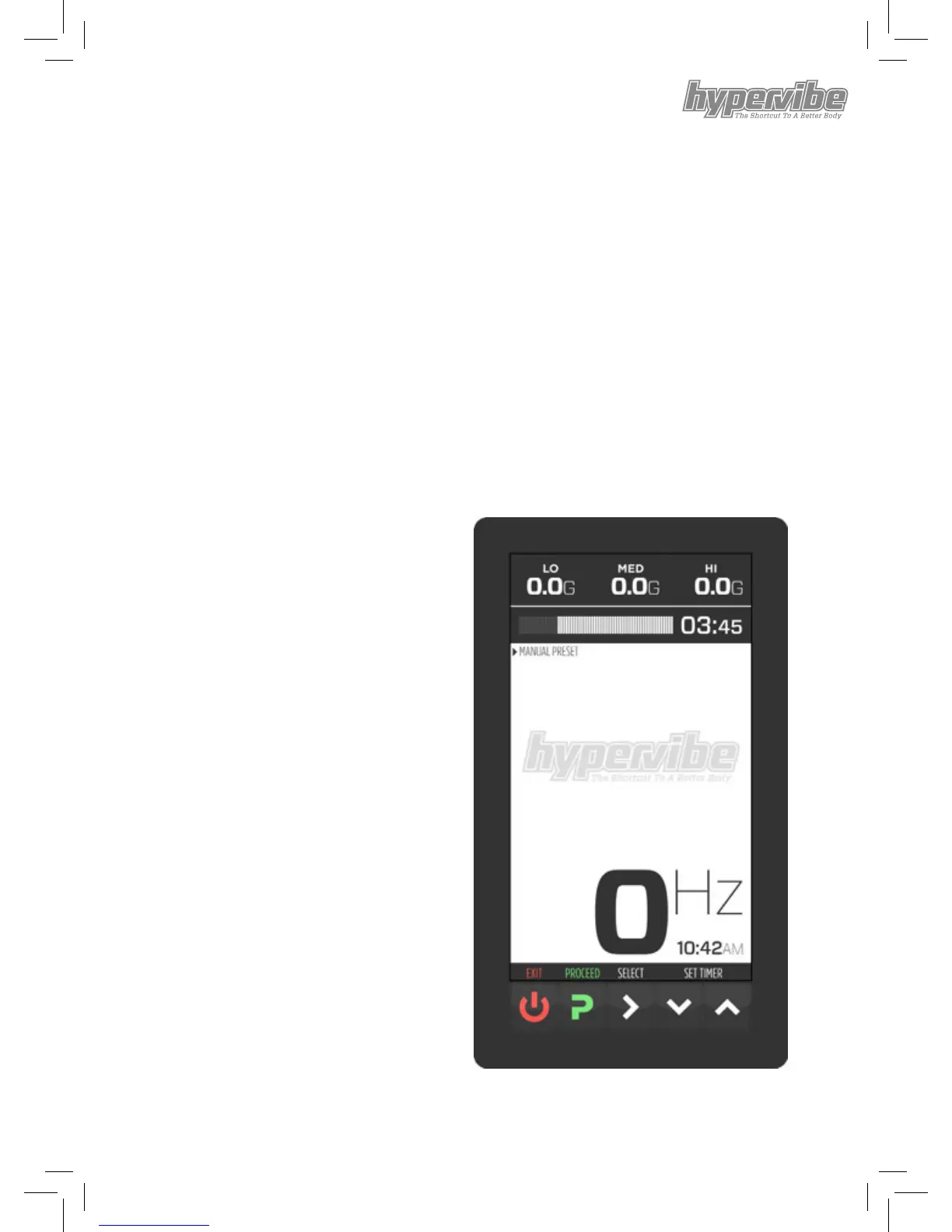
Notice the button indicators along the bottom have changed. The
rst prompt is to set the timer. In this example the user has set a
timer of 3 minutes and 45 seconds.
Clicking the SELECT button toggles between setting timer and
frequency.
At any time you can start the machine vibrating by clicking the
PROCEED button. If you
have not yet set a value for
either frequency or timer the
machine will start with the
default setting.


 To Next Page