9
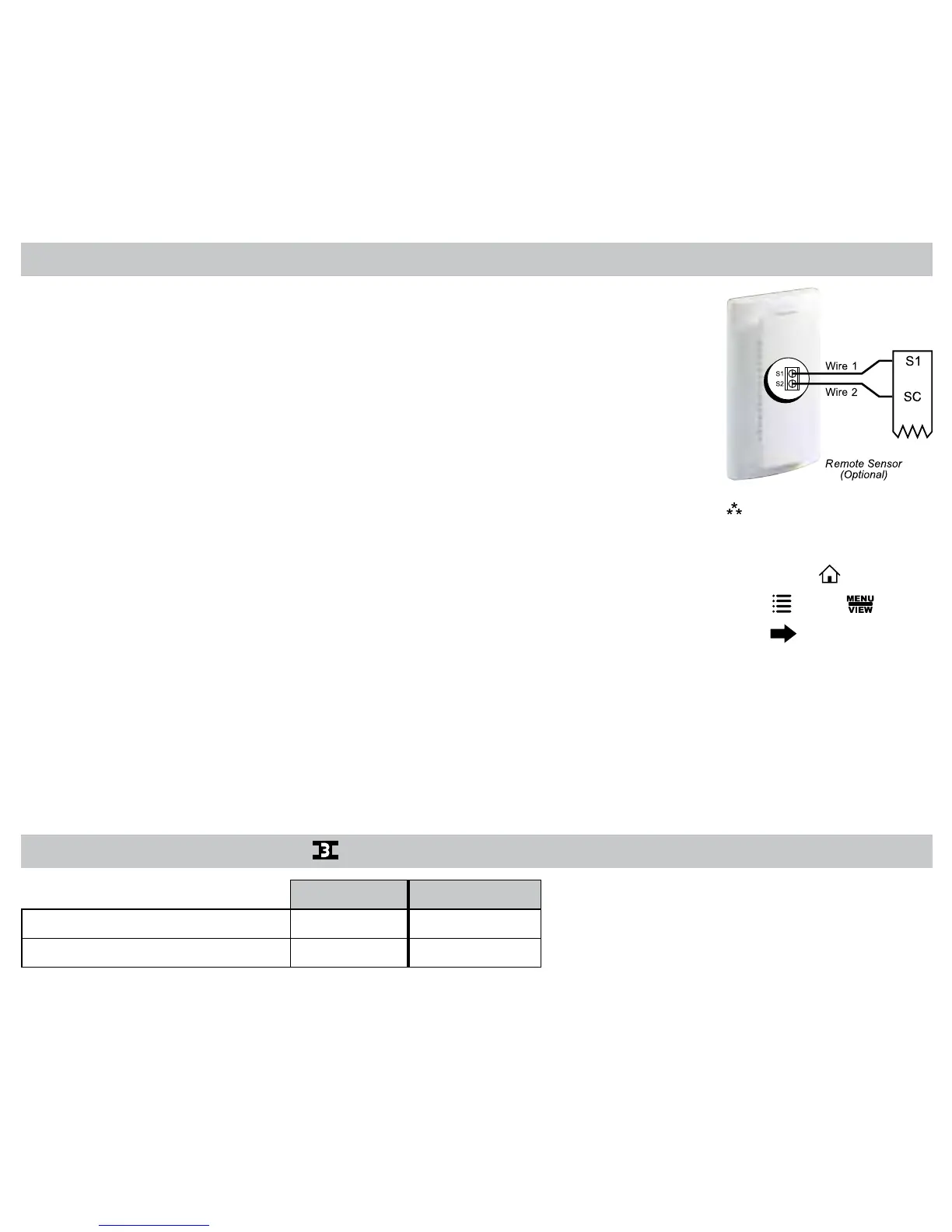
Remote Sensor Installation (Optional)
TerminalsS1,S2,andSCareusedwithremotesensors.S1canbeusedwitharemote
sensortomonitorindoororoutdoortemperatures.Anoutdoorremotesensorcanbeused
tochangesystemoperationbasedontheoutdoortemperaturewithheatpumpswithgas/
oilbackuporheatpumpswithelectricbackup.Anindoorremotesensorisusedtoread
theindoortemperatureinadifferentlocation.Thisisbenecialwhenthethermostatisnot
mountedintheideallocation.
S2isa10kΩNTCthermistorsensorthatcanonlymonitorthetemperatureinadifferentarea.
1.Removecoverfromremotesensorhousing.
2.Selectanappropriatelocationformountingtheremotesensors.
3.Mounttheremotesensorsusinghardwareprovided.
4.Installtwo-strandshieldedwirebetweentheS1terminalontheremotesensorandtheS1
terminalonthethermostat.
5.Installtwo-strandshieldedwirebetweenthe10kΩNTCremotesensorandtheS2terminal
onthethermostat.
6.Frombothremotesensors,installatwo-strandshieldedwirefromtheircommontotheSC
terminalonthethermostat.
7.Congurethethermostattoworkwiththeremotesensor.
OrderingInformation:
RemoteSensor1
–Indoorremotesensor:ACC-RT104
–Outdoorremotesensor:ACC-OD104
RemoteSensor2
–10kΩNTCthermistorsensor
Note:
Remote or outdoor sensor
reading can be displayed by
pressingthe icon.
Press
,select
press
1010R Output Chart
1
ST
Cool 1
ST
Heat
Heat/Cool Y1,G W1,G*
HeatPump(OneCompressor) Y1,G,O Y,G,B
* Gnotonforgas/oilsystems



 To Next Page