EasyManua.ls Logo

ICM Controls i3 2010WR - User Manual

ICM Controls i3 2010WR
32 pages
Print Icon
To Next Page IconTo Next Page
Loading...
1
Installation, Operation & Application Guide
For more information on our complete range of American-made
products, wiring diagrams, troubleshooting tips, and more,
please visit us at www.icmcontrols.com
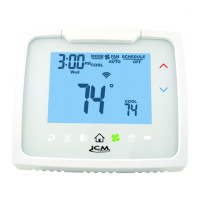
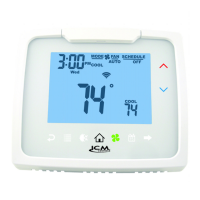
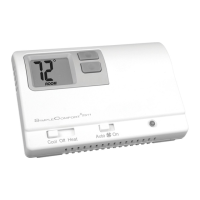
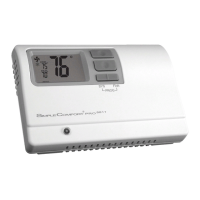
Auto
Changeover
Programmable Thermostat
• 7-Day,5-2-Day,or5-1-1-DayProgrammable
• CongurableforMultipleSystems
• LargeDisplaywithBacklight
• SelectableFahrenheitorCelsius
• IconIndicatorLights
• RelayOutputs–MinimumVoltageDropinThermostat
• RemoteSensorCompatible
• IdeallySuitedfor:
–Residential(NewConstruction/Replacement)
–LightCommercial
• Workswithtwo-transformersystems
AUTO
SCHEDULE
COOL
FAN
COOL
MODE
PM
OFF
Wed

Questions and Answers

ICM Controls i3 2010WR Specifications

General IconGeneral
BrandICM Controls
Modeli3 2010WR
CategoryThermostat
LanguageEnglish

Summary

Programmable Wi-Fi Thermostat Overview

Thermostat Controls and Interface

Package Contents and Tools

Lists all items included in the thermostat package and the tools required for installation.

Technical Specifications

Provides detailed technical data including electrical ratings, temperature ranges, and system compatibility.

Mode of Operation

Icon Functions

Important Safety Information

Installation and Removal Guide

Terminal Designator Descriptions

Wiring Diagrams

Wiring Diagrams for Specific Models

Remote Sensor Installation

I1010 R Output Chart

I2010 WR Output Chart

I2020 WR Output Chart

I3020 WR Output Chart

Configuration and Thermostat Lock

Locking & Unlocking Thermostat

Step-by-step instructions on how to lock and unlock the thermostat to prevent unauthorized access or changes.

Changing the Lock Code

Configuration Mode

Configuration Mode Settings

Temperature Scale (F or C)

Allows selection between Fahrenheit and Celsius temperature scales for display and operation.

1 st Stage Temperature Differential

Sets the temperature difference for activating the first stage of heating or cooling.

2 nd Stage Temperature Differential

Sets the temperature difference for activating the second stage of heating or cooling.

3 rd Stage Temperature Differential

Sets the temperature difference for activating the third stage of heating or cooling (I3020W model).

Staged Off Outputs Configuration

Minimum Deadband Setting

Heat Source Settings

Dual Fuel System Configuration

Outdoor Sensor Configuration for I3020

Outdoor Setpoint Configuration

Auxiliary Delay ON Setting

Lockout and Temperature Adjustment

Maximum Heat Setpoint Control

Minimum Cool Setpoint

Vacation Setpoint Configuration

Room Temperature Offset

Maximum Cycles Allowed Per Hour

Temperature Sensor Configuration

Fan Delay Off Time

Hourly Cycle Fan Operation

Fan on Schedule Configuration

Filter Timer Settings

Wi-Fi Setup and Reset

Connecting via Apple Device

Connecting via Android Device

Connecting via Computer

Testing Wi-Fi Connection

Weather Screen Functionality

Setting the Time and Date

Operating Modes

Testing the Thermostat

Heat Test

Procedure to verify correct operation of the heating system by testing heat activation and shutoff.

Cool Test

Procedure to verify correct operation of the cooling system by testing cool activation and shutoff.

Fan Test

Procedure to test the fan operation, confirming ON and AUTO modes function correctly.

Setting the Program Schedule

View Screen Options

View Remote Sensor Temperature

Displays temperature readings from connected remote sensors.

View Lock Status

Indicates whether the thermostat is currently locked or unlocked.

View Filter Status

Shows the accumulated fan run time for filter maintenance reminders.

Display Information Options

Schedule Override Feature

Setting the Vacation Timer

Factory Preprogramming

Troubleshooting

Regulatory Compliance

Five-Year Limited Warranty

Related product manuals