EasyManua.ls Logo

ICM Controls SC 5011 - User Manual

ICM Controls SC 5011
32 pages
Print Icon
To Next Page IconTo Next Page
Loading...
1 Heat/1 Cool
Auto Changeover
Hardwire
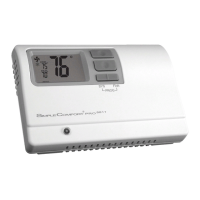
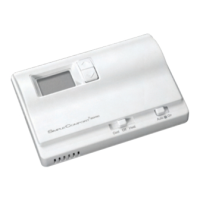
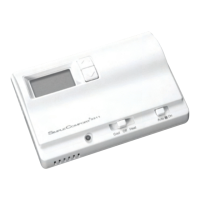
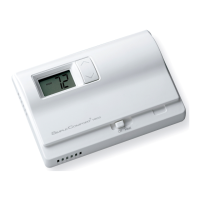
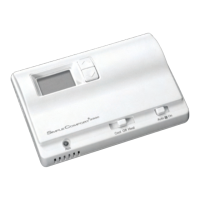
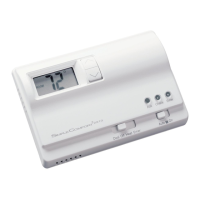
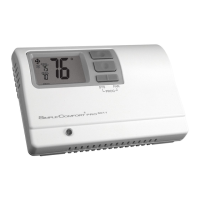
SC 5011
Programmable Electronic Thermostat
Installation, Operation & Application Guide
For more information on our complete range of American-made
products – plus wiring diagrams, troubleshooting tips and more,
visit us at www.icmcontrols.com
• 7-Day, 5-2-Day or 5-1-1-Day Programmable
• Configurable
• Single-Stage Heat/Cool Systems
• Single-Stage Heat Pump Systems
• Large Display With Backlight
• Selectable Fahrenheit or Celsius
• Compatible with Gas, Oil, or Electric
• SimpleSet™ Field Programming
• Status Indicator Light
• Relay Outputs
(minimum voltage drop in thermostat)
• Remote Sensor Compatible
• Ideally Suited for:
– Residential (New Construction/Replacement)
– Light Commercial

Questions and Answers

  • E
    erichickmanSep 9, 2025
    What does it mean when ICM Controls Thermostat displays 'Lo'?
    • J
      Julie RobertsonSep 9, 2025
      If your ICM Controls Thermostat displays 'Lo' instead of the room temperature, check for a bad connection at the S1 and S2 terminals, if used.
  • A
    Alicia PeckSep 12, 2025
    Why does my ICM Controls Thermostat fan turn on occasionally?
    • J
      johnathan35Sep 12, 2025
      If the fan on your ICM Controls Thermostat turns on occasionally, check the programmable fan setting in the program schedule.
  • T
    Timothy VegaSep 13, 2025
    What does it mean when ICM Controls Thermostat displays when any button is pressed?
    • J
      Jasmine BrownSep 13, 2025
      If your ICM Controls Thermostat displays when any button is pressed, the thermostat has the button lockout function activated.
  • P
    Philip MendozaSep 15, 2025
    Why is the status indicator light not on during a call on my ICM Controls Thermostat?
    • J
      Jerry GarrettSep 15, 2025
      If the status indicator light isn't on during a call on your ICM Controls Thermostat, turn the status indicator function on.
  • R
    Rebecca LewisSep 18, 2025
    Why is there no response with first button press on my ICM Controls Thermostat?
    • J
      Jean BanksSep 18, 2025
      The first button press on your ICM Controls Thermostat activates the backlight only.

Summary

Parts Diagram

Icon Descriptions

Specifications

Important Safety Information

Package Contents and Tools Required

Removing the Existing Thermostat

Installing the Thermostat

Heating Only Wiring Diagrams

Heating;Cooling Wiring Diagrams

Heat Pump Wiring Diagrams

Cooling Only Wiring Diagrams

Remote or Outdoor Sensor Installation

Configuration Mode

Configuration Mode Settings

Temperature Scale

Choose Fahrenheit or Celsius for temperature display.

Temperature Differential

Set degrees between setpoint and turn-on temperature.

Deadband

Minimum degrees between heat and cool setpoints in Autochangeover.

System Configuration

Lockout and Setpoint Configuration

Temperature Sensor and Cycle Settings

Cooling Fan and Indicator Light Settings

Mode of Operation

Operating Modes Explained

OFF Mode

Thermostat is off, no heating or cooling devices operate.

Heat Mode

Thermostat controls the heating system, indicated by flame icon.

Cool Mode

Thermostat controls cooling system, indicated by snowflake icon.

Advanced Operating Modes

Cool and Heat Mode (Auto Changeover)

Thermostat automatically switches between heating and cooling as needed.

Program Mode

Thermostat follows a programmed schedule for heating and cooling.

Testing the Thermostat

Setting the Time and Day of the Week

Programming Overview

Setting the Program Schedule

Lockout Feature

Factory Preprogramming

Personal Program Schedule

Personal Program Schedule (Continued)

SimpleSet Field Programming

Troubleshooting Guide

One-Year Limited Warranty

ICM Controls SC 5011 Specifications

General IconGeneral
Programmability7-Day Programmable
Power Source24 VAC
DisplayDigital
Operating Voltage24VAC
Temperature DisplayDigital
CompatibilityHeat Pumps

Related product manuals